

Search Results:
Search Results:
Search Results:
Search Results:
Motion sensors are sold under several technology types, each suited to different applications. The main families on the Australian market are passive infrared (PIR), microwave, dual-technology, outdoor weatherproof, and smart connected sensors. Choosing between them comes down to where the sensor will be installed, what it needs to switch, and how much resilience the application demands. Most residential lighting sites use PIR sensors. Bathrooms, warehouses, and high-value commercial sites often justify microwave or dual-technology options. Outdoor and smart options serve perimeter security, automation, and integrated control roles.
Passive infrared sensors detect the heat signature of a moving person or object against the background temperature. PIR is the most common technology used in residential lighting, garage and corridor switching, entryways, and security floodlights. The strengths of PIR are low cost, low power draw, and proven reliability over decades of field use. The limits show up in very hot conditions where body heat contrasts less with the background, behind glass or solid obstructions, and where pets, vehicles, or HVAC drafts cross the detection zone.
Microwave sensors emit a low-power radio signal and measure changes in the reflected wave to detect movement. They are more sensitive than PIR through thin partitions and in spaces with limited line of sight. Microwave technology often outperforms PIR in bathrooms, enclosed utility rooms, warehouse aisles, and curved corridors where heat-based detection is patchy. The trade-off is that high sensitivity can produce false triggers if the unit is not tuned correctly during commissioning. Walk testing and sensitivity adjustment matter more on microwave units than on simple PIRs.
Dual-technology sensors combine PIR and microwave detection in a single unit and require both technologies to register movement before triggering. The result is far fewer false alarms in environments where wind, weather, or vibration would otherwise cause nuisance switching. Dual-tech sensors are common in commercial security, warehouse lighting, exposed outdoor sites, and high-value asset protection. They cost more than single-technology units, but the reliability gain often pays back quickly in commercial settings where unnecessary call-outs and battery drain add real expense over time.
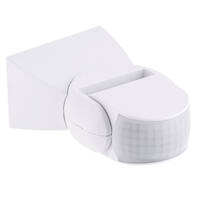
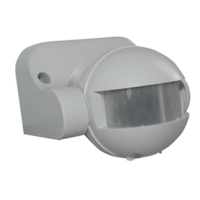
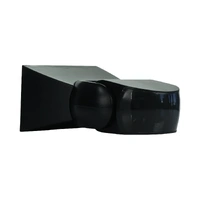
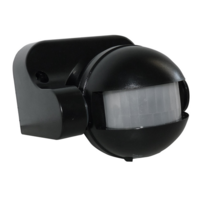
Outdoor motion sensors are rated for rain, UV exposure, insects, and temperature swings typical of Australian conditions. IP44 is a minimum for sheltered outdoor locations such as covered patios or carports. IP65 or higher suits exposed sites including driveways, side paths, roof eaves, and coastal installations. Outdoor PIRs work alongside outdoor lighting, LED floodlights, and standalone sensor lights to deliver perimeter security without manual switching. Choose outdoor models for any site exposed to the weather, never indoor units in marginal conditions.
Smart motion sensors use Wi-Fi, Zigbee, Z-Wave, Matter, or Bluetooth to connect with a hub, app, or building management system. App notifications, scenes, schedules, and automation triggers let installers integrate sensors with smart lighting, voice assistants, alarms, and HVAC. Hardwired smart units serve as permanent infrastructure on lighting circuits. Battery-powered wireless sensors suit retrofit and renter-friendly installs. The Clipsal Iconic Wiser range and broader smart solutions category cover hub-based options for residential automation.
Selecting a motion sensor starts with the application, not the product. Map the space first: where the sensor will be mounted, the people or vehicles that need to be detected, and the lights or loads it will switch. Confirm the available power supply and whether the location is indoors, outdoors, or in a wet zone. Get those questions right and the product shortlist narrows quickly. The sections below walk through the main application categories most Australian buyers fall into.
Indoor motion sensors handle hallways, bathrooms, laundries, offices, storerooms, pantries, and garages. They are designed for stable temperatures, low dust loads, and limited UV exposure. Outdoor sensors need a weatherproof rating, a wider operating temperature range, sealed cable entries, and tamper resistance for patios, driveways, sheds, carports, and perimeter security. Indoor models should never be used in exposed outdoor positions unless the manufacturer datasheet explicitly permits it. Cross-checking IP rating against the install location is the single most important step.
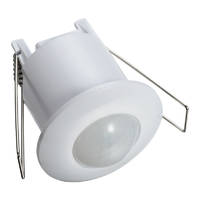
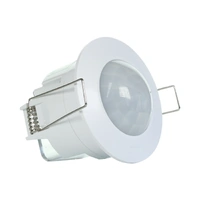
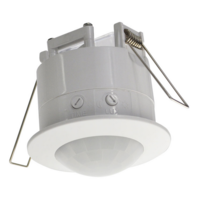
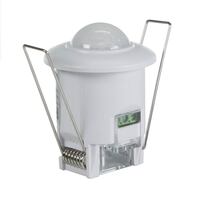
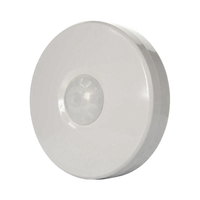
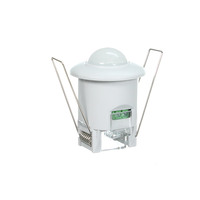
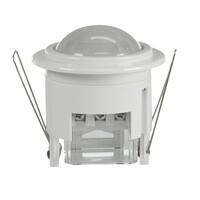
Home lighting automation suits hallways, bathrooms, laundries, pantries, stairwells, garages, wardrobes, and entry porches. The right product depends on room shape, ceiling height, traffic pattern, and switching style. A wall-mount sensor switch replaces a standard light switch and serves single-room installs well. A ceiling-mount 360-degree sensor covers larger or open-plan spaces. Lux sensing prevents daytime switching, and time delay holds the light on long enough for normal use without wasting energy. Match the sensor to how people actually move through the room.
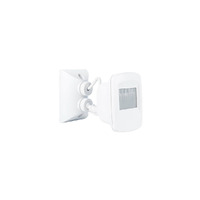
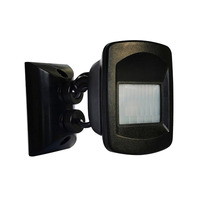
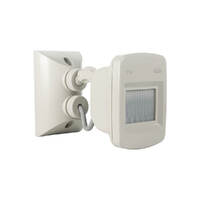
Outdoor security lighting protects driveways, garages, sheds, patios, side paths, fence lines, and entry doors. Look for detection angle and range to suit the area, a weatherproof rating for the install location, dusk-to-dawn switching to avoid daytime activation, and sensitivity controls to limit false triggers from wind, pets, and traffic. Position the unit so people cross the detection zones rather than walking directly at the sensor, which is where PIR is least sensitive. Some jobs need a floodlight with built-in sensor, others a separate sensor head feeding a fixture.
Bathrooms are notoriously difficult for occupancy sensing. Steam, temperature swings, partitions, and limited body movement during shower or toilet use can leave a PIR-only unit confused. Microwave sensors handle these conditions better because they sense reflected energy rather than heat. Placement matters: avoid pointing the unit directly at a shower screen or partition wall. Wet-area electrical zoning rules apply, and a licensed electrician must assess the installation against AS/NZS 3000 zone requirements before fitting any hardwired sensor in a bathroom or laundry.
Commercial sensor selection has different priorities to residential work. Offices, warehouses, amenities, car parks, schools, retail tenancies, and switchrooms need reliable supply, consistent model selection across multiple sites, and clear datasheets for specification compliance. Trade buyers ordering for construction projects benefit from stocked product lines, fast dispatch, and known brands with warranty support. Documented commissioning settings make handover and ongoing maintenance simpler. For larger lighting banks, sensors switching a contactor often makes more sense than direct load switching.
A motion sensor that performs well on paper can still be the wrong product for a job if the specifications do not match the application. The key values to compare are detection range and angle, mounting height, load rating, LED compatibility, time delay, lux threshold, sensitivity, supply voltage, and output type. The following sections cover the values that change buying decisions most often. Always confirm against the manufacturer datasheet before ordering for a trade job.
Detection range is the maximum distance at which the sensor reliably picks up movement, measured in metres. Coverage angle is the horizontal sweep in degrees. Residential PIRs typically reach 6 to 12 metres, with commercial models going further where the datasheet specifies. Wall-mount units commonly run at 180 degrees, ceiling-mount units at 360 degrees, and narrow corridor sensors at 30 to 60 degrees for long thin spaces. Mounting height influences both range and the angle at which movement crosses the detection zone, so check both values together.
Motion sensors can drive LED downlights, but the sensor load rating must match the connected lighting load. LED drivers have inrush current characteristics and minimum load requirements that older sensors were not designed for. A 2-wire sensor designed for incandescent loads can cause LED bulbs to flicker, glow, or fail to switch off cleanly. A 3-wire sensor with neutral connection avoids most of these issues. For larger lighting banks beyond the sensor load rating, switch the load through a contactor instead of driving lamps directly from the sensor terminals.
Time delay (also called hold time) sets how long the light stays on after the last detected movement. Lux threshold sets the ambient light level below which the sensor will activate, which prevents daytime switching of outdoor lights. Sensitivity adjustment changes how readily the unit triggers, useful for reducing false alarms in busy areas. Walk testing after each adjustment is essential to confirm coverage is correct and the timer is appropriate. Record the final settings on commercial jobs so future maintenance can restore them after a replacement.
Most domestic motion sensor switches run on 240V mains power and switch a lighting load directly. Commercial and security sensors may use 12V or 24V DC supplies with relay outputs and normally open or normally closed contacts. Smart sensors add wireless transmission to a hub. Hardwired installation, replacement, or rewiring of any mains-powered sensor must be completed by a licensed electrician under Australian electrical safety law. Sensor output type also affects whether the unit can feed an automation input on a building management system.
Recognised brands stocked by Australian wholesalers come with datasheets, manufacturer warranties, and compatible accessories. The Sparky Direct motion sensor range covers options from Clipsal, Hager, Legrand, NLS, SAL Lighting, Theben, and Mercator. Outdoor weatherproof options also come from the Clipsal Iconic Outdoor range.
A motion sensor only performs as well as the installation that supports it. Good placement, correct wiring, and proper commissioning all influence whether the unit catches every legitimate movement, ignores false triggers, and runs trouble-free for years. The following sections cover planning, the legal requirements for hardwired electrical work in Australia, and the commissioning steps that finish the job properly. None of this is a substitute for the manufacturer instructions, which always take precedence on a specific product.
Map the detection zone before drilling holes. Avoid pointing the sensor at direct sunlight, moving foliage, HVAC vents, reflective surfaces, or windows that show movement from outside. People should cross the detection zone, not walk straight at the sensor, because PIR is least sensitive on a head-on approach. Ceiling mounting suits open spaces and 360-degree coverage. Wall mounting suits corridors, entries, and security floodlights. A short test with a torch and tape measure during planning saves rework later.
Installing or replacing a hardwired motion sensor switch, sensor light, or lighting control sensor is licensed electrical work under Australian electrical safety law. AS/NZS 3000 applies to the wiring, switching arrangement, and zoning where wet areas are involved. Do not attempt DIY wiring of mains-powered sensors. A licensed electrician will assess the existing circuit, confirm load compatibility, install the sensor to manufacturer requirements, and complete the testing and certification needed for compliance. Commercial projects also need commissioning records for handover documentation.
Once the sensor is wired in, commissioning sets it up for the actual application. Walk testing maps the real-world detection zone against the planned coverage. Sensitivity tuning reduces false triggers without dropping legitimate movements. Lux threshold testing makes sure the sensor will not switch in daylight. Timer adjustment matches the hold time to how long people typically stay in the space. On multi-sensor commercial installs, record the final settings for each unit. Handover should include a short explanation of how the sensor behaves so end users understand normal operation.
Most motion sensor faults fall into a small set of patterns: lights stay on too long, lights fail to turn on, or the unit triggers constantly. The fixes are usually settings-related rather than wiring faults, but a stubborn problem on a hardwired unit needs a licensed electrician to diagnose safely. The sections below cover the four most common complaints and the checks that resolve them. Always isolate the supply at the switchboard before any internal inspection on a mains-powered fitting.
Lights staying on usually points to a long time delay setting, constant movement in the detection zone, an incorrectly set lux threshold, or a manual override mode left engaged. Check the user-adjustable settings first using the manufacturer manual. Trees, fans, HVAC vents, and even moving curtains can hold a sensor in the active state. If settings look correct and the light still refuses to switch off, call a licensed electrician to investigate possible wiring faults or relay failure inside the unit.
A sensor that fails to switch on at night could be set to an overly low lux threshold, have a failed lamp, be pointed away from the detection area, or have a blocked lens. The wrong sensor type for the application can also be the cause: a microwave unit behind heavy partitions will struggle, just as a PIR will fail behind glass. Check the lamp, the wall switch position, and any visible obstruction. If all looks correct, a licensed electrician can test the unit itself.
False triggers come from sources the sensor cannot tell apart from a person. Adjusting sensitivity downward is the first step. Reducing detection range and repositioning the unit away from roads, moving trees, reflective surfaces, heating vents, and pet pathways usually solves the rest. For exposed outdoor sites with persistent nuisance triggers, a dual-technology sensor or a properly tuned microwave unit reduces problems further. Outdoor-rated units handle wind-driven leaves, rain, and insects better than indoor sensors used outside their design envelope.
Sensitivity, time delay, and lux controls are usually accessed via small potentiometers or DIP switches on the sensor body. Refer to the manufacturer manual for the exact location and adjustment direction on a specific model. After every change, run a walk test from the typical entry point to confirm the detection zone is correct. Adjust one setting at a time so the effect is clear. Aggressive changes to multiple settings at once make later troubleshooting harder.
Motion sensors are one option in a wider set of lighting and security controls. Manual switches, timers, daylight sensors, smart switches, and security cameras all serve different purposes, and many sites combine several. The right answer for a given application depends on whether the trigger should be occupancy, schedule, ambient light, manual choice, or visual verification. The sections below summarise where motion sensors win, where they overlap with alternatives, and where another control type is the better choice.
Motion sensors add convenience, hands-free operation, and energy savings to spaces where people enter and leave often. Manual switches still suit rooms where automatic control would be annoying, such as living rooms, bedrooms, and home theatres. The two can coexist on a single circuit, with the sensor acting as the primary control and a manual switch providing override. Cost favours manual switching for low-traffic rooms, while sensors pay back faster in corridors, garages, and external entries.
Timers control lighting by schedule, daylight sensors by ambient light level, and motion sensors by occupancy. Each has a place: scheduled lighting suits shop signage, dusk-to-dawn suits perimeter lights that should run all night, and motion control suits transient occupancy. Combining functions is common: outdoor security lights often use motion plus a lux threshold so they only switch at night. Browse electrical timers and the twilight switch range for schedule-based alternatives.
Security cameras with motion detection provide visual verification and recorded footage, useful for evidence, identification, and remote checking. Motion sensors provide a reliable, low-cost trigger for lights, alarms, and relays without storing video or requiring an internet connection. Many residential and commercial installs use both: cameras for monitoring and recording, motion sensors for switching lights and alarms. Browse home security camera systems for visual coverage that complements sensor-driven lighting.
PIR sensors use passive heat detection, microwave sensors use active radio reflection. PIR is cheaper, draws less power, and dominates residential lighting. Microwave is more sensitive, sees through thin partitions, and handles bathrooms and curved corridors better. Microwave can produce false triggers if poorly tuned. Dual-technology units combine both and are used where reliability matters more than cost. The table below summarises the practical differences.
| Feature | PIR | Microwave |
|---|---|---|
| Detection method | Passive infrared heat | Active radio reflection |
| Typical cost | Lower | Higher |
| Penetration through partitions | None | Through thin walls and glass |
| Bathroom and steam areas | Less reliable | More reliable |
| Risk of false triggers | Lower with correct placement | Higher if untuned |
| Best for | Residential lighting, security floodlights | Bathrooms, awkward layouts, commercial |
Buying motion sensors online for trade jobs or home upgrades is straightforward once the application is clear. Australian electricians ordering for construction projects, retrofit work, or facility maintenance benefit from product range visibility, datasheet access, and reliable dispatch. The Sparky Direct motion sensor range covers indoor PIR switches, outdoor weatherproof units, microwave sensors, dual-technology models, and smart connected options across recognised brands. The sections below cover what to verify before ordering, trade buying considerations, and how to balance price against value.
Before ordering, confirm the indoor or outdoor rating, sensor technology, detection angle and range, load rating, LED compatibility, supply voltage, mounting type, finish colour, brand, warranty, and required quantity. Check the manufacturer datasheet for any LED driver compatibility notes if the sensor will switch LED lamps. For trade jobs covering multiple sites, settle on a single model where possible so spares, settings, and commissioning notes stay consistent. Stock and dispatch information on the product page helps with lead-time planning for construction work.
Trade buyers ordering for construction projects, multi-dwelling developments, and facility maintenance need consistent model selection, fast dispatch, available replacement stock, and recognised brands. Bulk orders of a single product line simplify both installation and ongoing maintenance. Datasheet availability supports specification compliance for commercial projects. Smart light switches and Major Tech smart automation add connected options for projects calling out smart controls. Weatherproof switches and switch mechanisms round out the related ranges.
Cheap motion sensors and trade-grade or smart units sit at different price points for different reasons. The lowest-cost units cover basic indoor switching where reliability standards are modest. Trade-grade and weatherproof units bring better sensitivity tuning, higher IP ratings, longer warranties, and compatible accessory ranges. Smart and dual-technology units add automation or reliability features that justify the extra cost on the right job. Total value includes fewer false triggers, accurate detection, appropriate weather protection, and a manufacturer warranty that holds up after installation.
Club Clipsal is Australia's largest electrician community offering trade rewards, business support, and exclusive benefits. When you nominate Sparky Direct as your preferred wholesaler, we automatically apply your Clipsal spend points to your Club Clipsal account daily.
Entry-level offering coaching, mentoring, and training discounts
Unlock exclusive industry tools and networking events
Access Toyota fleet offers and business software discounts
Maximum benefits, including VIP experiences and rewards
1. Sign Up: Create your Club Clipsal account at clipsal.com/club-clipsal or via the iCat mobile app
2. Nominate Sparky Direct: Select Sparky Direct from the wholesaler dropdown menu in your profile
3. Add Email: Enter your Sparky Direct account email address in the membership number field
4. Start Earning: Every dollar spent on Clipsal products earns points automatically
Redeem points from the rewards store, including gift cards, tools, and experiences. Access business summits, product training, and industry networking events. Receive early access to new product launches and special promotions. Connect with fellow electricians via the Club Clipsal community app.
Watch Clipsal 750WPR5-GY | Infrascan Passive Infrared | 18m Detection Range | 3 Wire 240V 10A | Grey video
Watch Mercator Ikuu SXSEN003PIR | Smart IP65 180° Motion Detector | Wi-Fi video
Watch Clipsal Iconic Wiser CLP595011 | Wiser Wiser Motion Sensor | Zigbee | Wiser Iconic App video

My house already had 6 Clipsal Infrascan sensors around its perimeter that were 14 years old, but they were the 2-wire version that cause LED bulbs to flicker when they're not on. I replaced all of my Infrascans with the 3-wire version and can now use LED bulbs without any problems. Sparky Direct had the best price hands down.
These are very good external sensors to help automate detection routines. They are adjustable in terms of sensitivity and light level. They also seem to have good response time to movement. Requires hardwiring and can be used inline to a load although I have only used the to control Ikuu automation.
A very useful light . motion sensor that allows the lights to remain on for some hours after dark once tripped - adding extra security compared to motion sensors that keep the lights on for only a few minutes To my knowledge this is the only product on the Australian market to do this
Quality products in stock • Fast Australia-wide delivery • Competitive trade pricing
Browse Motion Sensors → Get Expert Advice →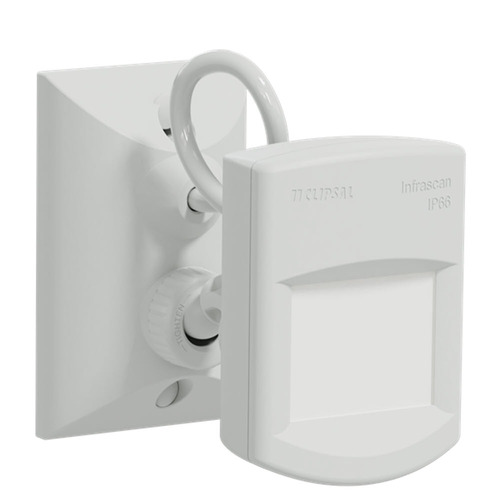




.png)
.png)