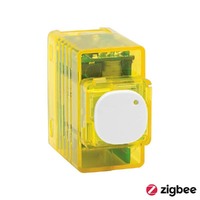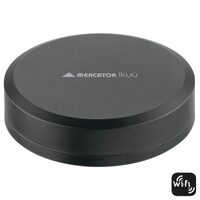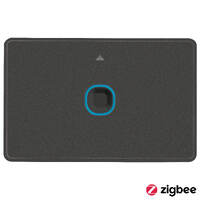

Search Results:
Search Results:
Search Results:
Search Results:
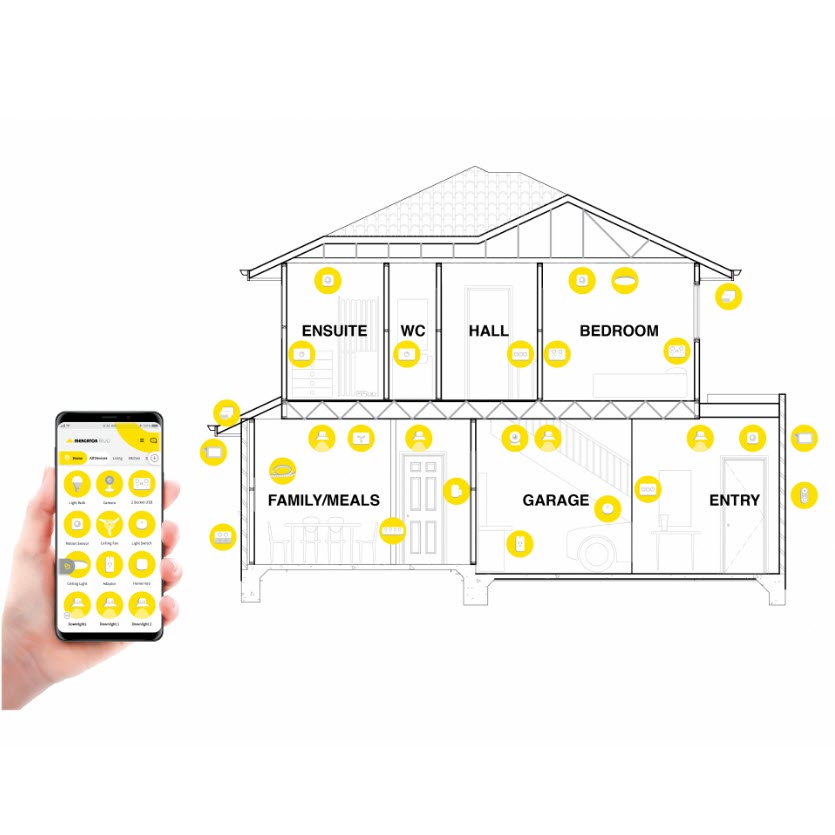
Find the best Mercator iKuu smart home products here at Sparky Direct. [ Read More ]
Mercator Lighting is an established Australian electrical brand. The Ikuu range is its smart home line, built around the Tuya cloud platform and designed for Australian wiring conventions, plug shapes, and switch plate standards.
Ikuu is a complete smart home ecosystem rather than a single product line. Devices share one app, one account, and one set of automations. A homeowner can start with a single smart plug and build out to whole-home control without changing platforms.
All hard-wired Ikuu devices carry Australian Regulatory Compliance Mark (RCM) approval. Switches and power points use the standard Clipsal-compatible plate sizing common across Australian homes. This matters because many imported smart switches require non-standard cut-outs or US-style yokes that do not fit local mounting blocks.
Compared with Philips Hue or Lutron, Ikuu is broader in product scope and lower in unit cost. Compared with budget Tuya-rebranded gear from overseas sellers, Ikuu carries local certification, local warranty, and predictable plate compatibility. The trade-off is that Ikuu relies on the Tuya cloud, which means an internet outage can disable some remote features even though local control over Zigbee usually keeps working.
Ikuu products are sold through electrical wholesalers, lighting showrooms, and a small number of online specialists. Buying through an established wholesaler matters more for smart products than for traditional fittings because firmware updates, app support, and warranty handling all depend on the supplier holding genuine local stock.
Wholesalers stock the full hard-wired range: switches, dimmers, mechanisms, power points, downlights, hubs, and sensors. Retail outlets tend to carry only the plug-in adapters and standalone globes. For any installation involving a licensed electrician, the wholesaler channel will almost always be the right starting point.
Genuine Australian stock can be confirmed by the RCM mark on the device, an Australian model code, and Australian-format documentation. Imported parallel stock may use the same hardware but ships without local warranty cover. A reliable supplier will also stock the matching Mercator accessories needed to complete an installation.
For trade buyers, the main practical considerations are stock depth, turnaround time on bulk orders, and Zigbee hub availability. Stock depth matters most on triple gang switches, double GPOs, and downlights. Sparky Direct ships the Ikuu range Australia-wide on the standard trade carrier network.
Every Ikuu device pairs to the free Mercator Ikuu app, which runs on the Tuya cloud backend. The app handles device control, scheduling, scene creation, and integrations. Devices communicate either directly to the home Wi-Fi or through a Zigbee hub depending on the protocol.
The Ikuu app stores user accounts, automations, and device settings in the cloud. This allows control from anywhere with an internet connection and lets multiple users share a single home setup. The same Tuya backend means Ikuu devices also work in the Smart Life and Tuya Smart apps for users already using those platforms.
Wi-Fi devices pair directly through the app using a 2.4 GHz Wi-Fi connection. Zigbee devices pair to an Ikuu hub, which then bridges to the app. Pairing usually takes under a minute per device once the user has logged in and granted location permissions.
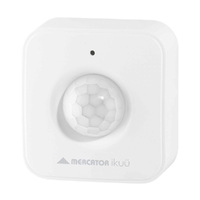
Once paired, devices can be grouped by room, combined into scenes, and triggered by sensors or schedules. A single PIR sensor can switch on a downlight, ramp up a ceiling fan, and unlock a smart plug feeding a lamp, all from one automation rule.
Ikuu offers most product types in both Wi-Fi and Zigbee versions. The choice between them is the single most important decision when planning an installation, because it sets the limits on scale, reliability, and hub requirements.
Wi-Fi versions connect straight to the home router. They suit small installs (under 15 devices) and renters who cannot wire in a hub. The downside is that every device adds load to the router, and many consumer routers struggle past 30 connected devices.
Zigbee Ikuu devices form a self-healing mesh network that routes through any mains-powered Zigbee node. A pair of GPOs in different rooms will extend coverage across a whole house without adding load to the Wi-Fi. Zigbee also keeps working during a brief internet outage, since the hub handles local routing.
Most Ikuu hard-wired switches and dimmers require a neutral wire at the switch position. Older Australian homes often run only active and switched-active to the switch box, with no neutral. There are three workable options. Pull a neutral back to the switch (a job for a licensed electrician). Use the Ikuu inline switch behind the ceiling rose where neutral is available. Or choose Wi-Fi smart globes that need no wiring change.
For installs under 10 devices, Wi-Fi is usually the simpler choice. For installs over 15 devices, or any install where reliability matters (security cameras, sensors driving safety lighting), Zigbee with a Pro Hub is the better long-term path. Mixed installs are fine: the Ikuu app treats Wi-Fi and Zigbee devices identically once paired.
The Ikuu range covers most of the categories an electrician would specify for a residential automation project. Below is the breakdown by product type.
Browse the full Mercator Ikuu range for current model availability and pricing.
Smart lighting is the most common entry point into the Ikuu ecosystem. The lighting range covers the full feature set buyers expect from a modern smart system.
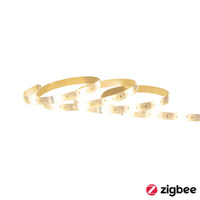
RGB versions deliver 16 million colours plus the standard tunable white range from 3000K warm to 6000K cool daylight. Tunable white alone is enough for most residential settings, while RGB is more relevant in feature spaces (kids' rooms, entertainment areas, alfresco lighting).
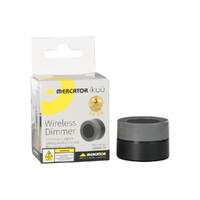
All Ikuu smart fittings dim from the app, voice command, or paired wall control. Dimming is performed at the driver, which avoids the flicker and buzz common with cheap retrofit dimmers on LED loads.
The app allows scene presets that combine multiple lights into a single command. A "Movie" scene might dim the lounge downlights to 20%, set the strip lighting behind the TV to a soft blue, and switch off the kitchen pendants.
Automation reduces standby and over-lighting waste. A motion-triggered hallway light that runs for 90 seconds instead of an entire evening saves measurable energy across a year. Smart GPOs with energy monitoring make those savings visible in the app.
The Ikuu app is where the system becomes more than a collection of remote-controlled devices. Automations turn separate products into a coordinated system.
Every device supports time-based schedules. A typical example: outdoor lights on at sunset, off at 11 PM, with a separate Sunday-only schedule that keeps them on later.
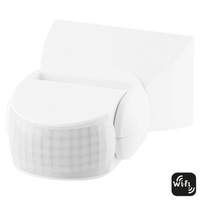
PIR sensors can trigger any device or scene in the system. Common uses are walkway lighting, garage entry lights, and night-time bathroom lighting at a low brightness level.
Up to several family members can be added to a single home with full or limited control rights. Remote access works from any internet-connected location, useful for switching off lights left on or checking a security camera while away.
The app pulls local sunrise and sunset times automatically based on the home location. This avoids the seasonal drift that fixed-time schedules suffer from, where outdoor lights end up coming on an hour after dark in summer.
Ikuu integrates with the major voice platforms and most third-party automation systems used in Australian homes.
Both platforms are supported through official Tuya skills. Setup involves linking the Ikuu account in the Google Home or Alexa app, after which all devices appear automatically. Voice commands cover on/off, brightness, colour, and scene activation.
Because Ikuu sits on the Tuya backend, the same devices can be controlled through the Smart Life or Tuya Smart apps. This is useful for users who already have non-Mercator Tuya devices and want a single app for everything.
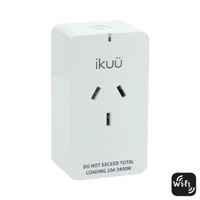
For users running Home Assistant, Ikuu Zigbee devices integrate cleanly through ZHA or Zigbee2MQTT, often with no need for the Mercator hub at all. This is the path most often chosen by technically inclined homeowners and is well documented in the Home Assistant community. Customer reviews on the SPP02G and SPP02GIP confirm reliable long-term operation in this configuration.
Wi-Fi Ikuu devices rely on the Tuya cloud for app control. An internet outage will disable the app, although physical wall switches always continue to function. Zigbee devices controlled through Home Assistant locally are not affected by cloud outages.
The Zigbee side of the Ikuu range needs a hub to bridge between Zigbee devices and the home network. Mercator offers two hub options.
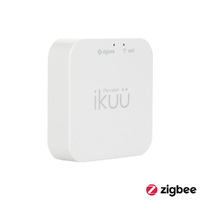
The SGW002 Home Hub supports up to 50 Zigbee devices and suits most residential installs. The SGW003 Pro Hub supports up to 200 devices and is the right choice for larger homes, multi-tenancy projects, or any install with extensive sensor coverage.
Capacity numbers assume a healthy mesh. Real-world performance depends on the number of mains-powered routing devices in the network. Adding even a few smart GPOs across the floor plan dramatically improves reliability for battery-powered sensors.
Zigbee meshes are self-healing. If one routing node goes offline, traffic re-routes through other nodes automatically. Customer reviews consistently note that Ikuu Zigbee GPOs work well as range extenders for the wider mesh.
For installs over 30 devices, plan the routing nodes first (smart GPOs and powered switches placed for coverage), then add the end devices (sensors, battery-powered switches). For installs over 100 devices, the Pro Hub plus a structured cabling layout is the safer specification.
The right setup depends on the size of the installation, the property type, and how much future expansion is planned.
A small install (one or two rooms, under 10 devices) works well on Wi-Fi alone with no hub. A whole-home install (every switch, every light, sensors throughout) needs the Zigbee Pro Hub and a planned mesh layout.
Apartments and townhouses often suit Wi-Fi smart switches and plug-in adapters because the wiring is newer and the device count stays low. Detached houses with multiple living zones benefit more from Zigbee, since the mesh handles the larger physical area better than a single Wi-Fi router.
Count every controllable point: lights, fans, GPOs to be smart, sensors. Add 30% for future expansion. If the result is over 15 devices, plan for Zigbee from the start rather than starting on Wi-Fi and migrating later.
Mixing Ikuu with non-Tuya smart devices is supported through Google Home or Alexa for voice control, but cross-platform automations need a layer like Home Assistant. Sticking with one ecosystem (or planning the bridge layer in advance) avoids most headaches.
Hard-wired Ikuu devices must be installed by a licensed electrician under AS/NZS 3000:2018. Plug-in adapters and battery-powered sensors can be installed by the homeowner.
Both protocols require the same wiring at the switch box: active, neutral, switched active, and earth. The protocol is set in firmware and does not change the wiring. For older homes without a neutral at the switch, see the section above on neutral requirements.
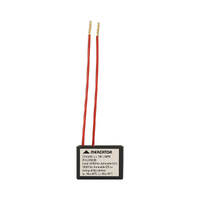
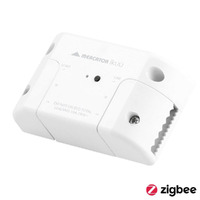
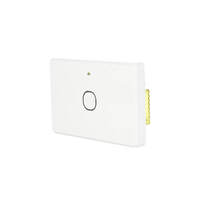
The Ikuu inline switches and dimmers fit behind the existing wall plate or above the ceiling rose. They convert a standard switch into a smart switch without changing the wall plate, which is useful in heritage or rented homes where plate changes are not appropriate.
Any work involving the fixed wiring of a property must be done by a licensed electrician. This includes installing smart switches, dimmers, hard-wired GPOs, downlights, and ceiling fans. Penalties for unlicensed electrical work in Australia are significant and insurance cover may be voided.
Standard safe-isolation procedure applies: lock off the circuit, prove dead with a tested voltage indicator, then commence work. Ikuu wiring diagrams are clear and follow standard Australian colour conventions, so installation time per device is broadly the same as for a standard switch.
Smart device quality is measured on more dimensions than a traditional switch. The factors below matter for long-term satisfaction.
Ikuu hard-wired devices carry RCM approval and use the same plate sizing as Clipsal Iconic and similar Australian ranges. Internal construction is consistent across the range, with proper terminal cages and standard cable entry.
Zigbee devices in the Ikuu range have a strong reputation for stability, particularly when integrated with Home Assistant. Wi-Fi devices are more sensitive to router quality and signal strength, which is why the protocol choice matters so much for larger installs.
The Ikuu app is functional and covers the core needs. Some customer reviews note that the app can feel basic compared with premium platforms like Hue, but it does not crash or lose devices in normal use.
Mercator is an established Australian brand with a stable distribution network. Spare parts, replacement plates, and firmware support are all maintained locally, which is the main practical advantage over imported Tuya-rebranded products.
Most issues with smart home systems fall into a small number of categories. Knowing the common patterns saves significant time on site.
Before deep troubleshooting, check these three things in order: device has power, hub is online, app account is logged in. Most "broken" devices are one of these three.
Wi-Fi connectivity issues usually trace back to 5 GHz interference or a router that has hit its connection limit. Ikuu devices use 2.4 GHz, so if the router only broadcasts a single combined SSID, the device may try to connect on the wrong band. Splitting the bands and connecting Ikuu to the 2.4 GHz SSID resolves most pairing failures.
Pairing failures usually trace back to one of three causes. Location permissions denied to the Ikuu app. The phone connected to a 5 GHz Wi-Fi network during pairing. Or the device not in pairing mode (rapid LED flash). Reset the device, switch the phone to 2.4 GHz Wi-Fi, and try again.
A device showing offline in the app is usually a Wi-Fi signal issue. Move the router closer for testing, or add a smart GPO between the router and the offline device to extend the Zigbee mesh in that direction.
If an automation does not trigger, work through three checks. Confirm all member devices show online. Verify the trigger condition is set correctly (motion sensors have a cool-down period that may delay re-triggering). Check that the schedule respects the correct time zone.
Ikuu sits in the mid-market for smart home gear. The strategy below maximises value for different scales of installation.
Start with a single smart plug or globe to test the app and integration before committing to hard-wired devices. The plug-in adapters are the cheapest entry and require no electrical work.
For multi-room installs, batch the same product types (switches, downlights) for trade pricing. Standardising on one protocol across the install reduces the chance of pairing or routing issues.
The Wi-Fi versions are cheaper per device than the Zigbee equivalents but cost more in router upgrades and reliability problems past about 20 devices. For larger installs, Zigbee is cheaper overall once router and rework costs are factored in.
The biggest value driver is sticking with one ecosystem long enough to build out useful automations. A single smart switch is a novelty. A coordinated set of switches, sensors, and lights running scenes across the home is what justifies the spend.
Electricians install Ikuu for several distinct customer scenarios. The product mix changes for each.
Standard residential fit-outs use a mix of smart switches at high-traffic positions, smart downlights in feature rooms, and smart GPOs at outdoor and laundry locations. A typical 3-bedroom install runs 25 to 40 devices.
New builds are the easiest scenario: neutrals can be specified at every switch position, the Zigbee Pro Hub can be installed in the comms cabinet, and the cable runs are clean. Renovations require more case-by-case planning, particularly around neutral availability.
Small commercial sites (cafes, offices under 200 sqm) suit Ikuu well. Larger commercial sites usually move to dedicated commercial automation systems for compliance and central management reasons.
Smart GPOs with energy monitoring make Ikuu useful for energy efficiency audits and load management. Pair with motion sensors to automate lights in low-traffic areas (corridors, storerooms) for measurable savings.
Smart devices add a layer of compliance considerations beyond the standard electrical rules.
All hard-wired Ikuu devices comply with AS/NZS 3000:2018 (Wiring Rules) and carry RCM approval. Installation must follow standard practices: correct conductor sizing, proper terminations, and earth continuity verified after installation.
As above, hard-wired smart devices are subject to the same licensing requirements as any other electrical fitting. Plug-in adapters are exempt because they connect via standard GPOs that are already in service.
The Ikuu app communicates with the Tuya cloud over encrypted connections. Best practice is to use a strong unique password on the app account, enable two-factor authentication where offered, and isolate IoT devices on a separate Wi-Fi network where the router supports it.
Standard residential safe-operation rules apply: rated load not exceeded on switches and GPOs, IP-rated devices used outdoors, and exposed cabling protected from damage. Smart features do not change any of the underlying electrical safety requirements.
Use the questions below to narrow down a specification before placing an order.
How many controllable points does the install need? Is there a neutral at every switch position? Does the installation need to keep working during internet outages? What other smart products are already in the home? Each answer pushes the specification toward a different mix of Wi-Fi, Zigbee, and hub configuration.
Choose Wi-Fi for installs under 10 devices, no hub preference, and 2.4 GHz Wi-Fi available. Choose Zigbee for installs over 15 devices, integration with Home Assistant, or any project where reliability is critical. Mixed installs are valid and common.
Confirm neutral availability before ordering hard-wired switches. Confirm plate compatibility if integrating with existing Clipsal or HPM ranges. The Ikuu mechanisms fit standard Australian grid plates from major brands, but exact fit should be verified for older plate ranges.
Specify the Zigbee Pro Hub if there is any chance the install will grow past the Home Hub's 50-device limit. Run a neutral to every new switch position during the rough-in stage even if the initial install uses Wi-Fi devices. Both decisions cost very little upfront and avoid expensive rework later.
For complex installs, the team at Sparky Direct can help match specific products to project requirements.
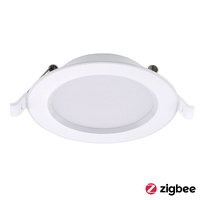
Watch Mercator Ikuu SMD4109W-RGB-ZB | 92mm Walter Downlight CCT | RGB | Zigbee video
Watch Mercator Ikuu SGW002 | Smart Home Hub | Zigbee | Connect up to 50 Devices video
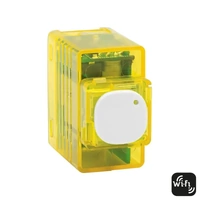
Watch Mercator Ikuu SSW04GN-ZB | Smart Quad Gang Light Switch 10A Requires Neutral | Zigbee video

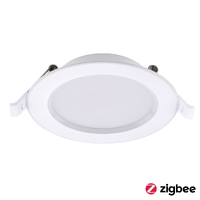
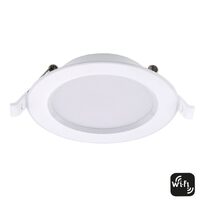
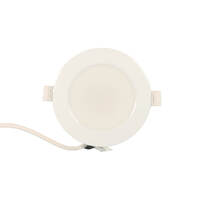
I recently purchased the Mercator Ikuu SMD4109W 92mm Walter Downlight CCT from Sparky Direct and was genuinely impressed with the experience. The light itself works great and integrates seamlessly into my Home Automation system, Home Assistant, which was a key factor for me. Not only did the product meet my expectations, but the delivery was also spot on. It arrived quickly and exactly when promised, which is always appreciated. What stood out to me was the pricing. Sparky Direct offered it at a great price, making the decision to purchase from them easy. Given the quality of the product, the smooth integration into my existing setup, and the hassle-free delivery, I'm thoroughly satisfied with my purchase. Based on this experience, I would highly recommend Sparky Direct.
Great spots, lovely to change from cold white in the morning to warm glow in the evening. The 9 Watt rating is low I feel, these are much brighter than the 50Watt halogens that came out. The warm white isn't super warm / as warm as our old Downlights but is great for taking the harsh edge off the LEDs. The RGB colours aren't super bright but at night are perfect for setting the scene. If you're into Home Assistant, these come through perfectly into Zigbee2MQTT or even ZHA, then you can get real funky with the disco lighting! Finally, the mains cable and plug with these can be easily unscrewed if needed, the 'supply' box is treated just the same as the old Downlight transformers. Great product, great supplier!
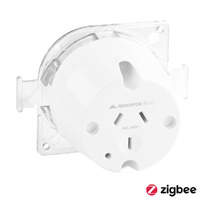
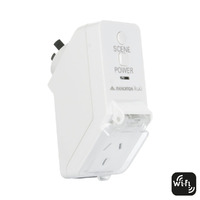
These GPO's are great smart switches, best I've found for outdoors. Used with Home Assistant (ZHA) they are easy to connect, and provide on/off with scheduling via automations, load and overall power usage for graphing and measuring consumption, child lock per switch, Zigbee signal strength stats, and as a bonus they are Zigbee routers so they extend my Zigbee network too. I tested one by installing it by our pool running string lights in the evening, they've been running for a few years now and it's still working perfectly. I've bought another 3 to install around the house.
Quality smart home products in stock • Fast Australia-wide delivery • Competitive trade pricing
Browse Mercator Ikuu → Get Expert Advice →Many setups allow shared access so multiple users can control devices within the same space.
Sparky Direct supplies Mercator Ikuu products with fast Australian delivery, supporting smart electrical upgrades nationwide.
Yes, installation of electrical products should be carried out by a licensed electrician in accordance with Australian regulations.
Warranty terms vary by product and manufacturer and usually cover manufacturing defects.
Check device compatibility, wiring requirements, load ratings, and integration with existing systems.
Products are commonly available individually, with some options offered as bundled solutions.
Most users can operate the system easily, though initial setup guidance may be helpful.
Typically, there are no ongoing subscription fees for basic functionality, depending on the product.
Many products are suitable for upgrades, but suitability depends on existing wiring and switch configuration.
It can be used in rental properties, subject to property owner approval and compliant installation.
App updates are provided by the manufacturer to improve performance and compatibility.
Smart control features can assist with managing usage, which may help reduce unnecessary energy consumption.
Basic switching functions usually continue to work, but app-based remote features may be limited.
Mercator Ikuu is a range of smart electrical products designed to provide app-based control of lighting and electrical devices.
Yes, remote control is possible through the app when the device is connected to the internet.
The system is designed to be user-friendly, with intuitive app controls for everyday use.
Yes, many Mercator Ikuu products are designed to be compatible with LED lighting, subject to load requirements.
Some devices may require a neutral connection, depending on the model and installation requirements.
Yes, Mercator Ikuu switches include smart control features in addition to standard switching functionality.
Yes, the range is suitable for both residential and light commercial applications when installed correctly.
Yes, Mercator Ikuu electrical products supplied in Australia should comply with relevant AS/NZS electrical safety standards.
Many Mercator Ikuu products are designed to integrate with popular smart home platforms, depending on the specific device.
Most Mercator Ikuu devices connect through a home or workplace Wi-Fi network to enable remote control functionality.
Mercator Ikuu products connect via a dedicated app, allowing users to control compatible devices through a smartphone or tablet.
The range typically includes smart switches, dimmers, power points, lighting controls, and compatible accessories.