
Search Results:
Search Results:
Search Results:
Search Results:
Quick clarification: If you arrived here looking for audience measurement software, broadcast analytics platforms, or media planning dashboards, this page is not for you. This page covers physical trade tools used by licensed electricians and registered cablers for TV antenna and data network installation work in Australia. For TV outlets, brackets, and cables to go with these tools, see TV supplies.
A clean termination is the difference between a TV outlet that works for ten years and one that fails the next time the wind picks up. The same applies to RJ45 jacks at a wall plate or a patch panel. Cheap or worn tools deform connectors, leave loose strands, and produce intermittent faults that are very hard to diagnose later.
TV and data tools cover the dedicated equipment electricians use to prepare, terminate, and verify two related cabling systems. The first is coaxial cabling for free-to-air, satellite, and MATV. The second is twisted pair data cabling for ethernet networks and structured wiring. These tools cut, strip, crimp, punch, and test. Each step in the chain has its own dedicated tool because trying to do the job with a pair of pliers and a Stanley knife produces work that fails certification.
Modern installations carry far more bandwidth than they did even ten years ago. Cat6 and Cat6A data runs are sensitive to untwist length at the termination, and 4K free-to-air signal needs clean compression on every F-connector. Old habits like screw-on F-connectors or hand-twisting RJ45 plugs without proper crimp force will not pass a certification test on a current-spec install.
On a typical site, the cabler will rough in the cable, terminate at the outlet end and the head end, then test every run before the wall plate goes on. The right tool kit cuts that work down dramatically. A good signal finder lets one person align an antenna without a second person at the TV. A network tester confirms wire mapping in seconds rather than the trial-and-error of guessing which run is which.
The phrase "TV data tools" can mean two very different things online. This section sets the record straight so you can find what you need quickly.
Some of the search traffic for "TV data tools" comes from media buyers looking for audience measurement and ratings analytics platforms. Sparky Direct does not sell software. Sparky Direct is an electrical wholesaler and the products in this category are physical hand tools, crimping tools, and test instruments for cabling work.
General electrical work uses a different toolkit. Cutting and terminating coax cable needs a tool that strips two or three layers to precise depths in one action. RJ45 crimping needs a die that seats eight contacts at exactly the right depth simultaneously. These are not jobs you can do with general-purpose pliers without producing inconsistent results.
This category is what you want if you searched for any of the following. Coax stripping tools, F-type compression tools, and RJ45 crimpers. Punch down tools for Krone or 110 blocks. Network cable testers, TV signal level meters, and complete antenna installation kits. If you searched for broadcast viewership data, programmatic TV buying, or Nielsen-style ratings tools, this is not the right page.
The category breaks down into four working groups: stripping and cutting, termination, testing, and complete kits. Most electricians end up owning at least one tool from each group. The exact mix depends on whether the work is mainly TV, mainly data, or a mix.
Coaxial work is sensitive to small errors. A jacket nick on the centre conductor, an over-stripped braid, or a poorly seated F-connector all show up as signal loss or return loss problems. The right tools remove the guesswork.
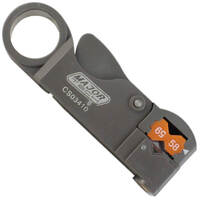
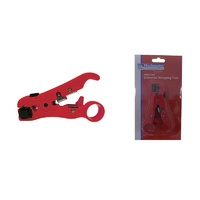
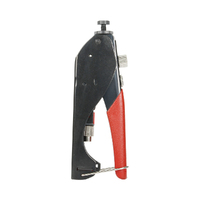
A two-blade or three-blade rotary coax stripper sets the strip lengths for jacket, braid, and dielectric in one action. Pair this with a compression tool sized for the F-connector you are using. Compression connectors give a watertight, gas-tight seal that screw-on connectors cannot match, and they are the standard for any external or roof-mounted termination.
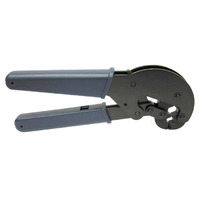
Some installers still use hex-crimp F-connectors instead of compression connectors. The crimping tool for these has a hex die sized for RG6 or RG11. Crimp connectors are cheaper but less reliable in outdoor conditions, so most current installers have moved to compression for any work that needs to last.
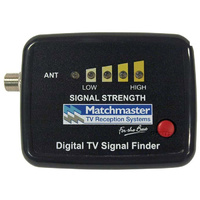
A handheld TV signal finder is the fastest way to align an antenna. The simpler models give a relative signal strength bar and an audible tone that rises with stronger signal. More advanced units show actual dBuV levels, modulation error ratio, and bit error rate, which are essential for diagnosing marginal reception.
For new installers or trades expanding into TV work, a complete antenna installation kit bundles the stripping, compression, and basic testing tools in one case. This avoids the gaps that always appear when buying tools individually. Brands like Hills and Matchmaster are widely used in the Australian trade.
Data work is governed by AS/CA S009 and ACMA registration. The tools used for termination directly affect whether a run will pass a Cat5e or Cat6 certification test.
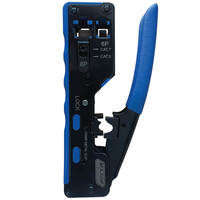
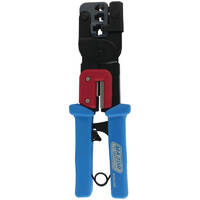
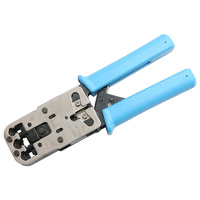
An RJ45 crimper seats the eight pin contacts and the strain relief in a single action. Look for a ratcheting tool that releases only when the crimp is complete. This prevents partial crimps, which are a common cause of intermittent faults. Some tools also include strip and cut blades for Cat5e and Cat6 cable.
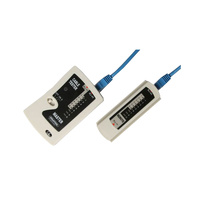
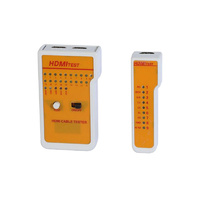
A basic network tester checks continuity and wire mapping pin by pin. The remote unit goes at the far end of the run, the main unit cycles through pins one to eight, and any miswired or open conductor shows up immediately. For any commercial fitout, a more advanced certifier may be required to confirm the run meets the cable category specification.
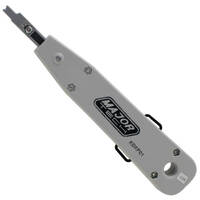
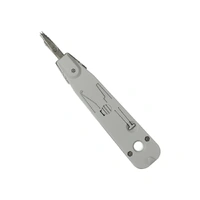
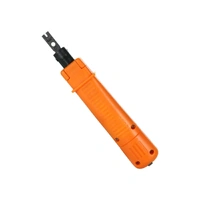
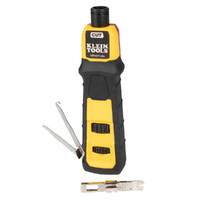
A punch down tool seats individual conductors into the IDC contacts of a patch panel, keystone jack, or Krone block. The tool also trims the excess conductor in one motion. Most electricians use a tool with interchangeable Krone and 110 blades because both block types are common in Australia.
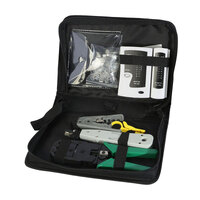
Data installer kits bring together a punch down tool, an RJ45 crimper, a basic wire map tester, and a stripping tool. Buying as a kit is usually cheaper than buying the same items individually, and it keeps a consistent set of tools in one case.
Testing is what separates a tradesperson who hands over a clean install from one who gets called back. Every run, every termination, and every connector should be tested before the wall plate goes on.
Signal level meters give a numerical reading for digital TV: signal level in dBuV, MER in dB, and BER in scientific notation. These three figures tell you whether a marginal install will keep working through changing weather and seasonal foliage growth. A simple signal finder is enough for a clean suburban install. A proper meter is needed for fringe reception areas or for diagnosing intermittent picture breakup.
For domestic data work, a wire map and continuity tester is usually sufficient. For commercial work or warranty-backed cabling installs, a certifier that measures actual link performance against Cat5e or Cat6 standards may be required. Check the spec sheet on the job before quoting.
A tone tester sends an audible tone down a cable run, and a probe at the other end picks up the tone through the cable jacket. This is the fastest way to identify which run in a bundle is which, especially in older buildings where labelling has been lost. A standard multimeter is also useful for basic continuity and shielding checks.
Most signal problems are termination problems, not cable problems. A meter that reads in dBuV and MER lets you confirm whether the cable run is good before you go up the ladder to check the antenna. This saves time, and it stops you from replacing parts that are not actually faulty.
The tools you need depend on what work you do most. There is no single best kit for every electrician.
If most of your work is single-dwelling TV antenna installs, prioritise a quality coax stripper, a compression tool sized for your usual F-connectors, and a basic signal finder. If most of your work is data cabling for new builds or commercial fitouts, prioritise an RJ45 crimper, a punch down tool with both Krone and 110 blades, and a wire map tester.
Residential work is typically forgiving. A basic kit handles most situations. Commercial work is documented, tested, and often warranty-backed by the cable manufacturer. This means certifiers, calibrated meters, and detailed test reports become part of the job.
For tools you use every day, buy the best version you can afford. The cost difference between a $40 RJ45 crimper and a $200 ratcheting crimper pays for itself in saved time and reduced rework on the first commercial job. For tools you use once a year, a mid-range option is usually fine.
The cheapest signal finders on the market often lack the resolution to distinguish between a good signal and a marginal one. The cheapest RJ45 crimpers wear out quickly and produce inconsistent crimps. Inaccurate testing tools are worse than no testing at all because they give you false confidence in a bad install.
Most installers end up buying both kits and individual tools. Knowing when to do which saves money and avoids duplicate purchases.
A complete antenna installation kit or data cabler kit gives you a matched set of tools in a single case. The tools are sized for each other, the case keeps everything together, and the bundle price is normally lower than buying each tool individually. This is the right starting point for an apprentice or a new installer entering TV or data work.
Buy individual tools when you need to upgrade one specific item: a better signal meter, a higher-spec RJ45 crimper, or a punch down tool with replaceable blades. You also buy individually when you need a specialist tool that does not appear in the kits, such as a BNC compression tool or a fibre cleaver.
Kits save money up front but lock you into one brand's choice of components. Individual purchases cost more but let you build a kit around your preferred brands. Most experienced installers have a base kit plus a small collection of individual upgrades.
The biggest productivity gain from a good kit is not the tools themselves, it is the case. Knowing exactly where each tool lives, and being able to grab the case and walk to the next job without checking, saves real time over a working week.
Trade-grade tools share a few common features. These are worth checking before you buy.
Look for hardened steel cutting blades, replaceable die sets on crimpers, and a solid handle with comfortable grip. Cheap tools often use stamped sheet metal and plastic pivots that wear quickly under daily use.
For meters, look for the measurement range and the accuracy specification on the data sheet. A signal meter that reads dBuV with a stated tolerance is more useful than one that just shows a strength bar. For network testers, check whether the tool maps wires individually or only confirms basic continuity.
The best tools feel right in your hand from the first crimp. Ratcheting mechanisms should release smoothly, dies should align without forcing, and meters should have clear displays that work in bright sunlight on a roof.
In Australia, brands like Matchmaster, Hills, and Klein Tools have long track records in TV and data work. 4Cabling is a well-known supplier of structured cabling tools and accessories. Fluke is the standard for higher-end test instruments. Brand alone is not a guarantee of quality, but these names are widely trusted on Australian sites.
Most issues with TV and data installs trace back to the same handful of root causes.
The number one cause of TV and data faults. Symptoms include intermittent dropouts, slow network speeds, and TV pixelation that comes and goes. Fix by re-terminating with a quality compression tool or RJ45 crimper, and test before refitting the wall plate.
If your meter shows different readings on the same connection, the meter battery may be low, the connector lead may be worn, or the meter may be out of calibration. Carry spare batteries, replace test leads when they show wear, and keep an eye on your meter's calibration interval if it has one.
Common causes are over-tight cable bends, kinks in coax cable, untwist exceeding 13mm at RJ45 terminations, and over-crimped or under-crimped connectors. Each of these is a tool or technique problem, not a cable problem. Fix the technique and the loss usually disappears.
Crimping dies wear over thousands of crimps. If you start seeing inconsistent crimps on a tool that used to work fine, the dies need replacement or the tool needs replacement. For meters, follow the manufacturer's calibration interval. A tool that gives wrong readings is a liability on a commercial job.
Good technique is consistent technique. The same steps, in the same order, on every termination.
Use the correct stripper for the cable type. For coax, set the stripper to the depth recommended by the connector manufacturer. For Cat5e and Cat6, strip only enough jacket to allow termination, and untwist the pairs as little as possible at the contact.
For F-connectors, push the connector fully onto the prepared cable before compressing. The dielectric should be flush with the back of the connector body. For RJ45 plugs, ensure all eight conductors reach the front of the plug before crimping. For IDC blocks, punch each conductor in one stroke and trim flush.
Every run, every connection. A wire map test on data runs, a signal level check on TV runs, and a continuity check on shielding where applicable. Catching a fault before the wall plate goes on takes thirty seconds. Catching it afterwards takes thirty minutes.
Keep coax and data runs away from mains power cables where possible. Use dedicated communications conduit for runs that share a path with power. Maintain proper shield termination at both ends of any shielded data cable.
Tool budgets are about long-term value, not initial price.
Budget tools are fine for occasional use or for backup tools. Professional-grade tools are essential for daily work, where reliability and consistent results pay back the higher cost within months. The gap shows up most clearly in crimpers, compression tools, and meters.
For consumables like F-connectors, RJ45 plugs, and cable ties, bulk buying reduces unit cost. Tools themselves are usually one-off purchases unless you are building a fleet for multiple installers.
A good ratcheting crimper lasts ten years in daily use. A cheap one fails inside twelve months. Over the working life of the tool, the quality option costs less per use, even before you count the time saved on rework.
The two most common false economies are easy to avoid. The first is buying the cheapest signal meter, then needing a real one within six months. The second is buying a cheap RJ45 crimper, then doing the same data job twice when terminations fail wire map tests. In both cases, the right tool first time costs less overall.
Single-dwelling work covers free-to-air antenna installs, satellite dish installs, ethernet runs to study and media rooms, and patch panel work in modest comms cabinets. A combined antenna and data kit handles most of this work, supported by a basic signal meter and a wire map tester.
Office fitouts, retail installs, and education sites require structured cabling that meets warranty-backed specifications. This means certifiers, calibrated meters, and documented test results for each run. The tool kit is more specialised and the testing requirement is more demanding.
Existing-building work needs strong diagnostic tools. A tone tester for tracing unlabelled runs, a signal meter for diagnosing TV picture problems, and a multimeter for general continuity checks are the core tools. Often the install side of the job is small but the diagnostic side is large.
New build work runs cable through frame and slab before plaster goes on. Tool requirements are similar to residential work but volume is higher. Termination quality is critical because rework is expensive once walls are sheeted and painted.
TV and data cabling work in Australia is regulated. Knowing the rules protects you, your customer, and your licence.
Telecommunications cabling in Australia is regulated by the Australian Communications and Media Authority (ACMA). Anyone who connects cabling to a telecommunications network, including data and phone systems linked to the carrier network, must be registered as a cabler under the ACMA Cabling Provider Rules.
Registration covers an Open Cabler Registration plus relevant endorsements (Structured, Coaxial, Optical Fibre). The registration is held through an ACMA-approved Cabler Registrar. Work done by an unregistered cabler can void warranties and create liability for the building owner.
Sharp blades, spring-loaded crimpers, and rooftop antenna work all carry risk. Use eye protection when stripping cable, keep blades retracted when not in use, and follow safe ladder and harness practice for any roof or pole work.
The relevant standards are AS/CA S009:2020 (installation requirements for customer cabling) and AS/NZS 3000:2018 (the Wiring Rules) where TV and data work intersects with general electrical installation. The Wiring Rules also cover separation between low-voltage and extra-low-voltage cabling.
Watch MATCHMASTER 08MM-ST05 | Coax Stripper Tool For RG59, RG6, RG11 Cable video
Watch MATCHMASTER 12MM-DF02 | Digital TV Signal Finder video
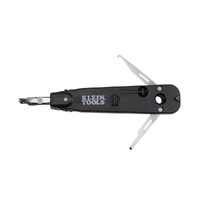
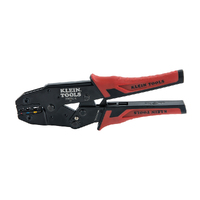
Watch Klein Tools VDV026-212 | Data Cable Installation Kit | Yellow & Black video

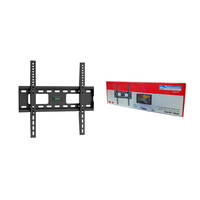
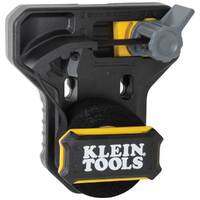
This mounting bracket was ideal for my job. I have bought a few different products from Sparky Direct because items are shipped very quickly and I find the price points for their products are fabulous! Thank you!
Easy to use signal finder, just plug and play as easy as that. Point antenna in direction of signal, tighten clamps, job done.
Best Coax strippers on the market. I’ve used many of different brands. These are the best. Easy to use. great product.
Quality products in stock • Fast Australia-wide delivery • Competitive trade pricing
Browse TV and Data Tools → Get Expert Advice →Some tools are specific, while others can be used across both TV and data installations.
Sparky Direct supplies TV and data tools Australia-wide, offering reliable tools for professional cabling work with convenient delivery.
TV and data tools are securely packaged and delivered via standard courier services.
Unused tools are generally eligible for return according to the seller’s returns policy.
Warranty coverage varies by manufacturer and typically covers defects in materials or workmanship.
They are available both individually and as complete tool kits.
Yes, TV and data cabling work should be completed by licensed or registered cablers.
Basic cleaning and proper storage help maintain tool performance.
Yes, testers and meters are commonly used to identify cabling and signal issues.
Most hand tools do not, but testers and meters may require periodic checking.
Yes, they are commonly used by apprentices under supervision and training.
Most tools are compact and designed for easy transport in tool bags.
Yes, incorrect or low-quality tools can lead to poor terminations and signal problems.
TV and data tools are used for installing, terminating, testing, and maintaining television and data cabling systems.
They are straightforward for trained users, but proper technique is important for good results.
The right tools depend on the type of cabling work and the connectors being used.
Yes, they are essential for installing and maintaining structured cabling systems.
Quality tools are designed for regular use in trade and installation environments.
Correct tools help ensure accurate terminations, which supports reliable network performance.
Yes, specific tools are required to correctly prepare and terminate TV coaxial cables.
They support coaxial cables, data cables such as Cat5e and Cat6, and related connectors.
Yes, they are widely used in offices, retail spaces, and commercial buildings.
Yes, they are commonly used in residential homes for TV antenna and data cabling work.
Many tools are designed to support work that complies with relevant AS/NZS cabling and electrical safety standards.
Common tools include coax strippers, cable cutters, crimpers, compression tools, punch-down tools, testers, and signal meters.