
Search Results:
Search Results:
Search Results:
Search Results:
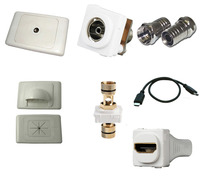
Find the best TV outlets, connectors and HDMI here at Sparky Direct. [ Read More ]
HDMI is the standard interface used to carry digital video and audio between source devices and displays. In a fit-out, running a loose HDMI lead between a wall-mounted TV and a source location looks unfinished and exposes the cable to damage. A wall plate solution terminates the lead at the wall on both ends, giving a tidy presentation and a serviceable connection point.
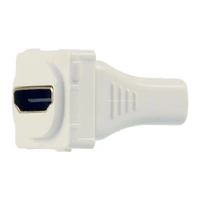
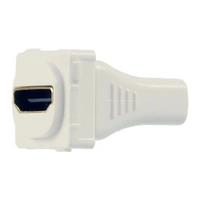
An HDMI wall plate carries one or more HDMI ports presented through a faceplate that mounts to a standard wall box. The mechanism behind the plate provides the actual electrical and mechanical connection. This may be a female-to-female coupler (the cable plugs in from the wall cavity side) or a fixed pigtail with a captive HDMI lead.
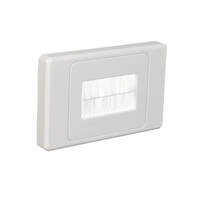
The three terms describe different layers of the same install. Wall plates are the visible faceplate and surround. Mechanisms are the modular inserts that snap into a grid system, carrying the actual port. Loose cabling is the in-wall HDMI run that terminates into the back of the mechanism. Knowing which part you need keeps quotes accurate and avoids ordering complete plates when only a mech replacement is required.
A wall plate solution protects the connector from being knocked, kinked, or pulled out. It also keeps the cable run inside the wall, away from foot traffic and pets. For commercial sites, structured terminations are easier to fault-find and replace section by section, rather than pulling a whole loose lead.
HDMI wall plates and mechs are stocked through both AV-specialist distributors and general electrical wholesalers. For trades doing mixed work, sourcing from a wholesaler that also carries data, mechanisms, and accessories is usually faster than splitting orders.
AV distributors carry deep ranges of HDMI extenders, matrix switches, and specialist cabling. Electrical wholesalers like Sparky Direct stock the wall plate side: faceplates, mechanisms, couplers, and the related TV, data, and phone componentry that goes into the same wall box. For most residential and light commercial fit-outs the wholesaler range covers what is needed.
Look for stocked inventory rather than indent ordering, clear product naming that matches manufacturer part numbers, and consistent stock of the matching grid plates and accessories. Brands carried should include the major Australian wall plate ranges so the HDMI mech sits flush with the rest of the switchgear on the same wall.
For multi-room or commercial projects, ordering all HDMI mechs, blanks, and matching plates in one go avoids mixed batches and colour drift. Sparky Direct ships Australia-wide for trade-quantity orders alongside companion products like cable management and data cabinets.
HDMI wall plates come in several formats. The right choice depends on how many ports the install needs, what other services share the plate, and whether the mounting is flush in plasterboard or surface-mounted in conduit.
Single-port plates suit a basic TV outlet with one HDMI feed. Multi-port plates carry two or more HDMI sockets and suit AV racks where multiple sources route to the wall.
Many installs need more than HDMI at the wall. Combination plates carry HDMI alongside USB, an RJ45 data port, or 3.5mm audio. The TV Outlets, Connectors and HDMI range includes mixed-format plates suited to boardroom, classroom, and home theatre wall points.
Flush-mount plates sit into a standard plasterboard wall box and present level with the wall surface. Surface-mount versions sit proud of the wall in their own enclosure and suit retrofits where chasing in a wall box is not practical.
Behind every HDMI wall plate is a mechanism that physically carries the connector. There are two main approaches: a flying lead (pigtail) that terminates inside the wall cavity, or a coupler that lets the installer plug the in-wall cable directly into the back of the mech.
Pigtail mechs have a short captive HDMI lead hanging from the back of the mech. The installer joins this lead to the in-wall cable using an inline coupler, or runs it directly to the source. Coupler designs use a female-to-female socket on both faces, so the in-wall cable plugs straight into the rear. Couplers are faster to install but add another connection point that can loosen over time.
Female-to-female mechs accept a standard HDMI plug on both sides. The HDMI Female to Female range covers the coupler-style mechs used in most wall plate fit-outs. Terminated options use a soldered or factory-crimped HDMI tail rather than a coupler, giving a more secure long-term connection.
Wall plate mechanisms almost always use the standard Type A HDMI connector, which is the same connector found on TVs, set-top boxes, and consoles. Mini and Micro HDMI are used on cameras and tablets and are not normally used in wall plates. If a source uses Mini or Micro HDMI, an adapter cable is run between the source and the wall plate's Type A port.
HDMI is a high-speed digital signal. Loose, oxidised, or poorly shielded connectors cause sparkles, dropouts, and HDCP handshake failures. A higher-quality mech holds the cable plug under positive retention, uses gold-plated contacts, and includes proper shielding around the connector body.
HDMI has evolved through several major versions. The version stamped on a cable, mech, or connector tells you the maximum bandwidth it supports, which in turn dictates the resolutions and refresh rates it can carry without dropouts.
| HDMI Version | Max Bandwidth | Typical Use | Resolution Support |
|---|---|---|---|
| HDMI 1.4 | 10.2 Gbps | Basic 4K, signage, older TVs | 4K at 30Hz, 1080p at 60Hz |
| HDMI 2.0 | 18 Gbps | Mainstream 4K residential and commercial | 4K at 60Hz with HDR |
| HDMI 2.1 | 48 Gbps | Gaming, premium home theatre, future 8K | 4K at 120Hz, 8K at 60Hz |
HDMI 1.4 was the first version to carry 4K, but only at 30Hz, which is fine for static signage but not for video. HDMI 2.0 carries 4K at 60Hz with HDR and is the current baseline for TV and projector installs. HDMI 2.1 is the gaming and premium-display standard, supporting variable refresh rate and 4K at 120Hz.
Bandwidth is the main number to match. A 4K 60Hz signal needs around 14 Gbps once HDR overhead is added, so the cable, mech, and any couplers in the chain must all support at least 18 Gbps. Mismatched components fall back to the slowest link, so a single low-spec coupler limits the whole run.
Spec the mech and cable to the source and display, not just to today's content. A 4K projector running 4K at 60Hz needs HDMI 2.0 components end to end. A gaming room with a console and a 120Hz panel needs HDMI 2.1 throughout.
For new builds, fitting an HDMI 2.1-rated mech and cable adds a small upfront cost but avoids ripping out walls when displays upgrade. 8K is still rare in Australian residential, but it is becoming common in commercial digital signage, so future-proofing is worth quoting.
The cable is the part of the install most likely to cause signal problems. HDMI cables are not all built to the same internal spec, and quality varies more than the version label suggests.
Passive HDMI cables carry the signal on copper conductors only. They work reliably up to about 5 metres for HDMI 2.0 and shorter distances for HDMI 2.1. Active HDMI cables include signal-boosting electronics inside the connector, allowing reliable runs of 10 metres or more. Active cables are directional and must be installed with the source-end plug at the source.
HDMI signal degrades with distance. The exact safe length depends on the version, the cable build quality, and the bandwidth required. As a rough guide, passive HDMI 2.0 is reliable to around 5 metres. Beyond that, switch to an active cable, an HDMI extender over Cat6, or an HDBaseT solution.
Boosters and repeaters re-clock the HDMI signal mid-run, allowing longer cable lengths. They are powered devices that sit inline with the cable. For long runs, an HDMI extender (using two boxes connected by Cat6) is usually a cleaner solution than a single very long cable.
Cables run inside walls should carry an in-wall rating. Look for "CL2" or "CL3" markings on the jacket, which indicate the cable is rated for low-voltage in-wall use. Standard external HDMI cables are not rated for in-wall installation.
HDMI wall plates are not the only way to get a video signal to a remote display. Long runs, high-resolution gaming, and multi-display fit-outs sometimes call for a different approach.
HDBaseT carries HDMI video, audio, control, and power over a single Cat6 or Cat6a cable, with reliable runs up to 100 metres. The trade-off is the cost of the transmitter and receiver units at each end. For runs over 15 metres, or where the cable path is too long for active HDMI, HDBaseT is usually the right answer.
Wireless HDMI kits send video between a source and a display without any cable run. They suit retrofits where chasing a wall is not possible. Latency and reliability are not as good as a wired install, so wireless is not first choice for gaming or critical AV.
DisplayPort is common on PCs and commercial signage but rare on TVs. For boardrooms with PC sources and PC-style displays, DisplayPort wall plates can be specified instead of HDMI. For mixed-source environments, HDMI remains the more universal choice.
If the source and display are more than 10 metres apart, an HDMI extender (sender, receiver, and a Cat6 cable run) is usually more reliable than a long HDMI cable terminated at a wall plate. The wall plate at each end then carries the RJ45, not the HDMI itself.
Picking the right wall plate comes down to four questions: residential or commercial, distance, what other services share the plate, and what brand is already on the wall.
Residential installs usually need one or two HDMI ports per location, often combined with an RJ45 data port and a power point. Commercial installs need higher port counts, mixed-format plates, and faster mech replacement when meeting room layouts change.
For domestic walls, a flush-mount plate matching the existing switchgear range gives the cleanest result. For garages, workshops, and surface-mount conduit installs, a surface-mount enclosure is the practical choice.
Use the same HDMI version end to end. Avoid stacking multiple couplers in a single run. Keep cable runs as short as practical, and allow some slack at the wall plate so the connector is not under tension.
For installs that need to last 10 years or more, choose mechs with positive plug retention and gold-plated contacts. Pigtail designs with a fixed factory-terminated lead are more reliable long-term than couplers, but harder to swap out if a port goes bad.
Australian wall plates are not all the same size or grid format. An HDMI mech must match the brand and series of the surrounding plate, otherwise it will not clip in or sit flush.
The major Australian brands (Clipsal, HPM, PDL, and Legrand) each use their own mech and grid systems. Mechs are not cross-compatible between brands. The Clipsal Iconic Mechanisms range, for example, only fits Clipsal Iconic plates.
Most HDMI mechs are single-module wide and fit any standard single, double, or quad gang plate from the matching brand. For installs with HDMI plus RJ45 plus a power point on one wall point, a multi-gang plate is needed to carry all the modules.
The wall box behind the plate also needs the right depth. HDMI mechs with a coupler design can be deeper than a standard switch mech because of the connector body. Confirm wall box depth before quoting, especially in retrofit work where the existing box may be shallow.
For residential customers, matching the HDMI plate to the existing switch range matters. Bringing a foreign-brand plate into a Clipsal Iconic room looks out of place. The same applies to colour finish: white, vivid white, and brushed aluminium are not interchangeable.
An HDMI wall plate install is straightforward, but a few habits separate a tidy long-life install from one that gets called back.
Plan the cable route before fishing the wall. Identify the shortest path that avoids mains cabling, joists, and noggings. Mark the wall box position at both ends, and confirm the cable type and length needed before starting.
HDMI is a low-voltage signal cable and should be kept separated from mains wiring inside walls. Where they cross, cross at right angles. Communication conduits are used in new builds to reserve a clean path for AV and data cabling.
Leave around 300mm of slack at each wall plate end. This allows for swap-outs, plug clearance, and any future re-termination. Label each end of the cable with the source and destination so future trades know what they are looking at.
Before screwing the plate down, plug a source and display in and test the signal. Confirm full resolution and audio. Catching a bad cable or mech before the plate is screwed in saves a return visit. Network testers and basic HDMI testers are useful for fault-finding when signal does not come up first time.
Most HDMI wall plate problems come from one of four causes: a bad connection, a cable that exceeds its rated length, a version mismatch, or a poor-quality mech. Working through them in order usually finds the fault.
Start with the simplest checks. Confirm the source is on, the input is correct, and the cable is fully seated at both ends. If the signal cuts in and out, suspect a loose connector, a bent pin, or HDCP handshake issues between the source and display.
If the signal works at short range but fails through the wall plate, the cable run may be too long for passive HDMI. Test by swapping the in-wall cable for a short patch lead. If the short lead works, the original run needs an active cable, an extender, or HDBaseT.
Couplers can loosen over time, especially in installs where the cable is regularly removed and replaced. Check the coupler retention by lightly wiggling the cable. If it moves, swap the mech for a new one or move to a pigtail design.
If a 4K signal will not display, the cable, mech, or coupler may be limited to HDMI 1.4. Test the same source and display with a known-good HDMI 2.0 patch lead direct, bypassing the wall plate. If 4K then comes up, the in-wall components are the limit.
Reseat both ends, then swap the patch lead, then bypass the wall plate with a direct cable, then swap the in-wall mech. This narrows the fault to one component each step.
Not all HDMI mechs are built to the same standard. The differences are not always obvious from the spec sheet, but they show up over time.
Look for gold-plated contacts (which resist oxidation), a moulded strain relief at the cable entry, and a metal connector shell rather than plastic. Cheap mechs use plain copper contacts that tarnish, leading to handshake failures after a few years.
The retention force is how firmly the mech holds an HDMI plug. Too low and the cable falls out under its own weight. Too high and the connector body breaks when someone yanks the lead. Quality mechs sit in the middle, with a positive click as the plug seats.
HDMI is a high-frequency signal that picks up interference from nearby mains cabling, fluorescent ballasts, and switching power supplies. A properly shielded mech includes a continuous metal shell around the connector that ties to the cable shield.
HDMI Forum certification is a useful filter. Certified Premium High Speed cables and Ultra High Speed cables have been independently tested for the bandwidth they claim. For mechs, sticking with established Australian wall plate brands (Clipsal, HPM, PDL, Legrand) gives a known performance baseline.
HDMI mechs range from budget grid inserts to premium pigtail designs. The price difference is usually fair: better connectors, better shielding, and longer service life cost more.
Budget HDMI mechs work for basic signage and low-use residential installs where the cable is plugged in once and left. Premium mechs justify their cost in commercial environments, gaming setups, and installs where the customer expects 10-plus years of service without callback.
For multi-room or multi-site projects, ordering all HDMI mechs and matching plates in one go avoids batch and colour drift between rooms. It also locks in trade pricing on the full quantity.
A callback to swap a failed HDMI mech costs more in labour than the mech itself. Spending a few extra dollars on a quality component up front is usually cheaper than the return visit when a budget mech fails.
Cable management, conduit, and proper testing add a small amount of time at install but make any future fault-finding or upgrade much faster. The labour saved on the first callback usually pays for the install-time investment.
HDMI wall plates appear in nearly every fit-out that involves a fixed display. The right product depends on the use case.
Living rooms with wall-mounted TVs are the most common application. A single or double HDMI plate behind the TV, with the cables running down the wall cavity to a media unit below, gives a clean finish without exposed cables.
Boardrooms typically use a multi-port plate at the table with HDMI, USB, and an RJ45 for laptop connection. A matching plate behind the display carries the HDMI from the in-ceiling AV rack.
Classrooms and training rooms use HDMI plates at the lectern and at the projector. Hotels use HDMI plates in guest rooms to allow guests to plug in their own devices.
Larger residential AV setups use a central rack with sources distributed to multiple wall plates. The wall plates terminate either HDMI directly (for short runs) or RJ45 (for HDBaseT runs). A data cabinet at the rack location keeps the source equipment tidy and accessible.
HDMI is a low-voltage signal, so the safety considerations are mostly around separation from mains, in-wall cable rating, and fire safety.
AS/NZS 3000:2018 (the Wiring Rules) covers separation between low-voltage signal cabling and mains cabling. HDMI runs must maintain the required clearances from mains and must not share a wall box with mains-rated wiring unless a barrier is fitted.
Where HDMI cables cross mains cables inside a wall, they should cross at right angles to minimise inductive coupling. Where they run parallel for any distance, maintain physical separation per AS/NZS 3000. A mixed plate with HDMI alongside a power point uses an internal barrier to keep the two services apart.
Cables run inside walls in commercial buildings often need to meet fire performance requirements. CL2 and CL3 markings on the cable jacket indicate compliance with the relevant low-smoke and fire-rating standards. Confirm the cable spec against the project specification before installation.
Switch off and lock out any nearby mains circuits before opening a wall box that may share a stud cavity with live wiring. Wear eye protection when fishing cables, and use the right tools (fish tape, draw cord) rather than improvising. Test the install before final fit-off and label both ends of each cable.
Club Clipsal is Australia's largest electrician community offering trade rewards, business support, and exclusive benefits. When you nominate Sparky Direct as your preferred wholesaler, we automatically apply your Clipsal spend points to your Club Clipsal account daily.
Entry-level offering coaching, mentoring, and training discounts
Unlock exclusive industry tools and networking events
Access Toyota fleet offers and business software discounts
Maximum benefits, including VIP experiences and rewards
1. Sign Up: Create your Club Clipsal account at clipsal.com/club-clipsal or via the iCat mobile app
2. Nominate Sparky Direct: Select Sparky Direct from the wholesaler dropdown menu in your profile
3. Add Email: Enter your Sparky Direct account email address in the membership number field
4. Start Earning: Every dollar spent on Clipsal products earns points automatically
Redeem points from the rewards store, including gift cards, tools, and experiences. Access business summits, product training, and industry networking events. Receive early access to new product launches and special promotions. Connect with fellow electricians via the Club Clipsal community app.
Watch Clipsal Iconic 40MLEDW Switch Mechanism, LED Module, 250V, White video
Watch Clipsal Iconic 40MLEDW Switch Mechanism, LED Module, 250V, White video
Watch Clipsal Iconic 40MLEDW Switch Mechanism, LED Module, 250V, White video

This has been an absolute lifesaver and game changer, doing constant apartments from start to finish this has helped save so much time for marking out/cutting out with multiple gpo's, tv, data outlets next to each other. You can have it either vertically or horizontal so also works great if you have a few light switches next to each other. A must have staple item for your kit and even comes with a hard protective case to keep safe!
Perfect solution to sort out any media installation, flush mounts the TV or in my case, hides everything for a corner swing out solution. When you have AC adaptors for the likes of a Chromecast or Firestick, this is perfect.
My partner and I have bought two big orders now from Sparky Direct and both times our packages arrived very quickly and we received all the correct items. Sparky direct have been a great company to go thought for any electrical needs. We love the Clipsal Iconic range! Looks so beautiful in our newly renovated home. Highly recommend.
Quality products in stock • Fast Australia-wide delivery • Competitive trade pricing
Browse HDMI Wall Plates, Connectors and Mechanisms → Get Expert Advice →Yes, they are designed for simple connection of TV and media equipment.
Sparky Direct supplies TV outlets, connectors, and HDMI products Australia-wide, offering reliable AV connectivity solutions with convenient delivery.
They are securely packaged and delivered via standard courier services.
Unused items are generally eligible for return according to the seller’s returns policy.
Warranty coverage varies by manufacturer and typically covers defects in materials or workmanship.
They are available individually and as part of kits, depending on the product range.
Yes, cabling work should be completed by licensed or registered cablers to ensure compliance.
Yes, they are commonly used in home theatre and entertainment setups.
They generally require no maintenance once installed correctly.
Yes, TV outlets are commonly used behind wall-mounted televisions for a clean finish.
Yes, low-quality or damaged connectors can lead to signal loss or interference.
Quality HDMI connectors are designed for regular use and long service life.
Frequent plugging and unplugging can cause wear, which may affect connection quality.
They are used to connect televisions and audiovisual equipment to antennas, media devices, and signal sources for audio and video transmission.
Using the correct HDMI cable for your resolution and device setup helps ensure optimal picture quality.
The right choice depends on your TV setup, signal source, and the devices being connected.
Yes, they are commonly used in homes, offices, and commercial buildings.
Quality outlets and connectors help maintain signal strength and reduce interference.
Most standard HDMI cables are non-directional, though some specialised cables may be directional.
Some wall plates are designed to support multiple connections, such as TV, data, and HDMI.
Yes, modern TV connectors and outlets are designed to support digital television signals.
Yes, HDMI cables come in different versions that support varying resolutions, refresh rates, and features.
Many products are designed to meet relevant AS/NZS cabling and electrical safety standards, depending on the application.
HDMI connectors transmit high-definition audio and video signals between devices such as TVs, set-top boxes, and media players.
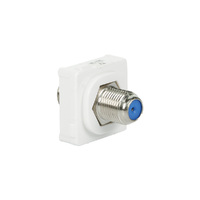
Common types include antenna wall plates, coaxial outlets, and combination plates for TV and data connections.