
Search Results:
Search Results:
Search Results:
Search Results:
A USB power point is a hardwired wall outlet that includes built-in USB charging ports alongside, or in place of, standard Australian socket pins. The unit converts mains supply to regulated low-voltage DC inside the mech, so phones, tablets, earbuds, and many laptops can charge directly from the wall without a separate adapter. Most products sold in Australia are combination models that retain one or two standard GPO outlets and add USB-A, USB-C, or both. USB-only plates are also available for dedicated charging zones. The primary audience for this page is licensed electricians, residential builders, renovators, office fitout contractors, hospitality specifiers, and informed retail buyers comparing products before commissioning installation.
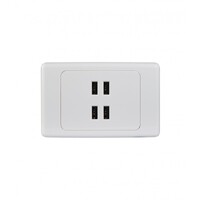
USB power points combine a compliant Australian socket outlet with integrated USB-A, USB-C, or USB-C Power Delivery charging. Common configurations include double GPO with twin USB ports, quad outlets with USB charging, and USB-only charging plates for benches and desks. Typical applications include bedside tables for phones and tablets, kitchen benches for cordless appliances, and home office desks for laptops and accessories. Other common locations include hotel rooms, serviced apartments, conference and meeting rooms, and apartment fitouts where outlet density matters. The unit fits a standard wall box, which means most existing GPO positions can be upgraded without major construction work during a renovation.
The USB module inside the mech converts 230 to 240 volt AC mains supply to regulated low-voltage DC output suitable for connected devices. Older USB-A ports usually deliver a fixed 5 volt output. USB-C Power Delivery is smarter: the port and the device negotiate voltage and current within the supported range, so a laptop may draw 20 volts while a phone next to it draws 9 volts. Charging speed depends on the port specification, the cable, and whether the connected device supports the matching standard. Hardwired installation, replacement, and relocation of USB power points must be completed by a licensed electrician in Australia under AS/NZS 3000.
A regular GPO supplies 230 to 240 volt AC only and relies on a plug-in adapter for USB devices. A combination USB GPO retains the same AC sockets and adds dedicated charging ports in the same wall position. USB-only outlets remove the AC sockets entirely and dedicate the mech to charging. Plug-in USB chargers remain cheap and portable but occupy a socket and add cable clutter. Combination models are the practical default for bedrooms, kitchens, studies, and shared rooms. Standard GPOs still suit utility rooms, laundry appliance points, hot water systems, fixed-load points, and low-device areas where USB charging is rarely used.
Before comparing models, it helps to understand the four terms that drive most buyer decisions: USB-A, USB-C, Power Delivery, and shared wattage. USB-A is the older flat rectangular port. USB-C is the newer reversible oval port now standard on most current phones, tablets, earbuds, and many laptops. Power Delivery is the USB-C fast-charging protocol that allows higher wattages. Shared wattage is the rated total output a multi-port outlet can deliver across all its ports at once. The right choice depends on the device mix in the room. USB-C is now the preferred specification for new builds and major renovations because most replacement and new devices ship with USB-C cables.
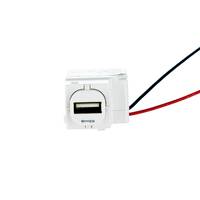
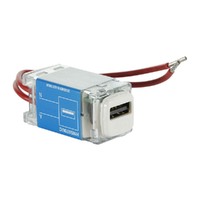
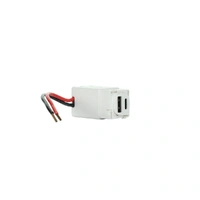
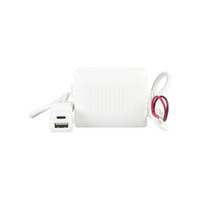
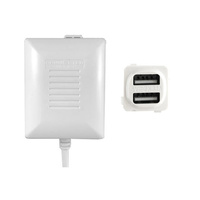
USB-A is the traditional rectangular charging port still used by many older cables, phones, small electronics, charging docks, and accessories. USB-A is fine for general phone and accessory charging but is usually slower than modern USB-C Power Delivery. It is also more limited in maximum wattage. USB-A remains useful in hotels, rental properties, serviced apartments, and mixed-device households where guests and tenants still carry older cables. Pairing one USB-A port with one USB-C port is a common compromise that covers both legacy and current devices on the same plate. Clipsal USB products include mech-only options to retrofit older Clipsal series.
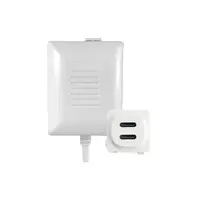
USB-C is the newer reversible connector used by most current smartphones, tablets, earbuds, and many laptops. For new installations, USB-C is the preferred choice because devices designed to be sold for many years to come will ship with USB-C cables. Benefits include faster charging when the port supports Power Delivery, higher power support for laptops and larger devices, neater cable use because the connector is reversible, and broader future device coverage. USB-C is the right specification for new builds, premium homes, commercial workstations, and any fitout where the buyer wants the wall outlet to remain current well past the next round of device upgrades.
USB-C Power Delivery, often written as USB-C PD, is the key fast charging standard to look for when comparing higher-output USB power points. It allows the port and the device to negotiate higher voltages and currents, which is what enables laptop charging and rapid phone top-ups. Quick Charge is a separate device-dependent fast charging protocol more common in USB-A and some Android-focused products. Real-world charging speed depends on the power point rating, the cable, the connected device, and whether other USB ports on the same outlet are in use at the same time. A device that does not support PD will still charge, just at a slower default rate.
Multi-port USB power points often advertise a total output figure, while real-world charging speed reduces when several devices are connected at once. A 30W total outlet may not deliver 30W to every port simultaneously: it may split the available power across the active ports. This matters most when one device is a laptop and the others are phones, because the laptop needs the majority of the wattage. Before specifying for laptop charging, check the datasheet for per-port output, total combined output, and confirmed USB-C PD support. For phones and tablets only, total output is usually sufficient and per-port detail matters less.
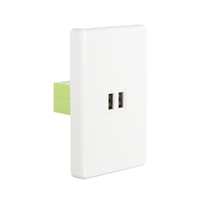
USB power points come in several formats and the correct one depends on the application. The main options are single GPO with USB, double GPO with twin USB, quad outlets with USB charging, and dual or multi-port USB-only plates. Other formats include USB-A plus USB-C combinations, USB-C-only outlets, smart connected models, and weatherproof outdoor variants. Commercial-grade and vandal-resistant options are also available for public-facing installations. For most Australian homes the double power point with built-in USB is the workhorse format, while quad power points with USB suit home offices, kitchens, and any room where outlet density is the limiting factor.
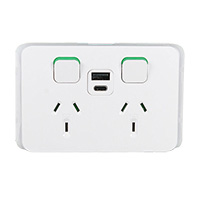
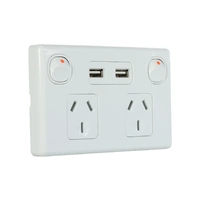
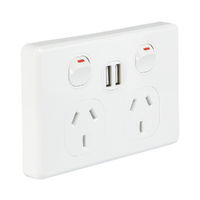
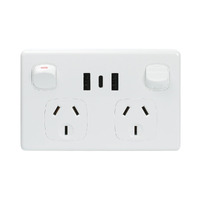
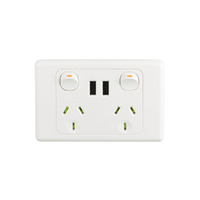
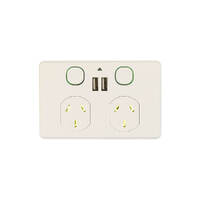
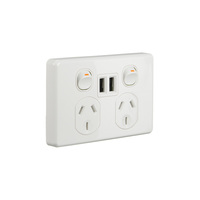
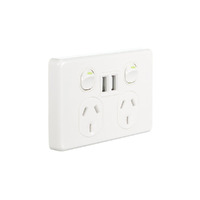
The double GPO with USB is the most common format for Australian homes and light commercial spaces. It retains two standard 10A sockets and adds twin USB ports on the same plate, all within a standard wall box footprint. The unit replaces an existing double GPO during renovation, so it suits retrofit work as well as new builds. Typical applications include bedrooms, kitchen splashbacks, studies, apartment living rooms, hotel rooms, office workstations, and meeting room walls. The format keeps AC sockets free for higher-load appliances while giving permanent charging points for phones and tablets in the same wall position.
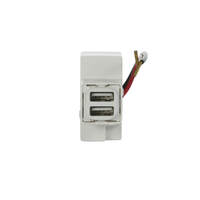
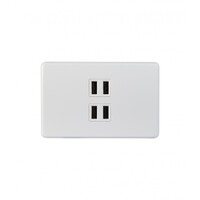
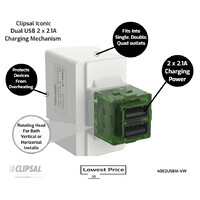
Dual USB, triple USB, and quad USB configurations add more charging ports per outlet, often without losing standard sockets. More ports help in shared charging zones, but they require careful checking of total output and heat management. A four-port plate rated at 3.1A total may charge four phones slowly rather than four phones quickly. Useful applications include family living areas, meeting rooms, hotel waiting rooms, school spaces, classrooms, libraries, and hospitality fitouts where many low-power devices need power at the same time. For laptops or tablets that demand higher wattage, fewer higher-output ports usually beat many low-output ports.
USB-A plus USB-C models support both legacy and modern cables on the same plate. They are the safe option for hotels, rentals, and family homes where users carry a mix of devices. USB-C-only models are more future-focused and suit new builds, premium homes, executive offices, and commercial workstations where current laptops, phones, and accessories all use USB-C. The practical rule is simple: if the expected user mix still includes older cables, fit USB-A plus USB-C. If the install will mainly serve current devices for the next decade, fit USB-C only with Power Delivery support and document the specification in the handover pack.
Outdoor USB outlets must be selected on IP rating, enclosure design, and compliance suitability before any installation begins. Standard indoor USB GPOs are not rated for direct exposure to weather. Patios, alfresco areas, workshops, garages, covered outdoor kitchens, and pool-adjacent zones each carry different requirements under AS/NZS 3000 wet area rules. Always have a licensed electrician assess the zone, RCD protection arrangement, and enclosure rating before committing to a product. Weatherproof GPOs with integrated USB are available, but the selected enclosure must match the actual exposure category, not just the customer expectation.
Smart USB power points add scheduling, app control, energy monitoring, or smart home integration to the standard charging function. They suit automation-focused homes, modern offices, and energy-conscious commercial fitouts where charging schedules can reduce idle load. Smart functionality is a useful add-on but should never be prioritised over compliance, output rating, and core product quality. A compliant non-smart outlet from a known Australian brand is a better choice than an uncertified smart product. Smart power points at Sparky Direct cover Wi-Fi and Zigbee variants from established brands.
The right USB power point depends on the room, the device mix, and the user. Bedrooms and kitchens usually need a combination GPO with USB-A plus USB-C for general phone and tablet charging. Home offices benefit from higher-wattage USB-C PD models and quad layouts near the desk. Hotels and rentals favour robust mixed USB-A plus USB-C plates for guest compatibility. Trade buyers and builders need consistent finish, predictable stock availability, and matched switch ranges across the project. The following sections cover the four most common decision contexts in more detail and help buyers shortlist before quoting a specific job.
For phones and tablets, USB-C PD models or USB-A plus USB-C combinations are the best choice depending on the device mix. Bedrooms, kitchens, and study nooks gain the most from built-in charging because devices live in those rooms overnight or during meals. High-output models reduce charging time significantly, but only when the cable and the device both support the matching protocol. A 25W USB-C PD outlet paired with an old USB-A cable will not deliver fast charging. For mixed households, fit one combination plate per likely charging location rather than concentrating charging in one room.
Home offices and workstations need higher-wattage USB-C PD models, quad configurations near the desk, and careful outlet placement at hand height. Verify wattage for any laptop that needs 45W, 65W, or higher before specifying USB-C as the primary charging path: many wall-mounted USB-C outlets are rated for phones and tablets only. Retain standard AC sockets for monitors, docks, printers, external drives, desk lamps, and other appliances. A typical workstation specification is one quad GPO with twin USB-C PD for charging plus one separate double GPO for permanent equipment. Document the wattage on the as-built drawing.
Hotels, serviced apartments, and commercial fitouts need robust mixed USB-A plus USB-C models for compatibility with the widest range of guest and tenant devices. Vandal-resistant or commercial-grade options are worth considering where public access is expected, such as lobby seating, training rooms, and shared waiting areas. Standardising one or two product codes across all rooms or tenancies has real procurement value: it simplifies maintenance, supports bulk pricing, and keeps replacement stock manageable. Pick a finish that survives cleaning chemicals and high-traffic use, then specify the same code in every room schedule. Document the chosen part numbers in the operations and maintenance manual.
Trade buyers care about reliable brands, repeatable fit-off, compliance documentation, stock availability, and consistent finish options across a project. Bulk buying matters: matched cover plates, consistent USB output across batches, and warranty support reduce callbacks and rework. Pre-selecting one or two ranges per project simplifies ordering, quoting, and on-site installation. Faster product selection also reduces specification errors when a project changes scope mid-build. Clipsal Iconic power points are a common choice for residential trade work because the range covers switches, GPOs, USB outlets, and accessories with matched plates.
USB power points are mains-powered electrical fittings. Every hardwired installation, replacement, or relocation in Australia must be performed by a licensed electrician. DIY work on fixed wiring is illegal regardless of how simple the swap looks. The following sections cover the relevant standards, the legal position, key safety features worth checking on the datasheet, and the additional considerations that apply in outdoor and wet areas. Compliance is not just a paperwork exercise: it protects users, validates warranties, and keeps insurance cover intact if anything ever goes wrong with the installation.
USB power points sold in Australia must comply with AS/NZS 3112 for socket outlets and be installed under AS/NZS 3000 Wiring Rules. The Regulatory Compliance Mark, or RCM, indicates the supplier has declared the product meets the relevant electrical safety and EMC requirements. USB power supply circuits inside the mech are also subject to safety standards covering low-voltage DC outputs. Compliant products are essential for legal installation, warranty validity, and insurance confidence. Buying from a reputable Australian electrical wholesaler is the safest route, because the supply chain, datasheets, and warranty support are documented. Avoid unverified marketplaces where compliance and traceability are unclear.
Hardwired USB power points sit on the fixed wiring of a property and carry full mains voltage to the mech. Safe installation requires correct termination of active, neutral, and earth, verified polarity, suitable circuit capacity, RCD protection in line with current standards, and post-install testing. None of this can be carried out legally by an unlicensed person in Australia. A qualified electrician can also assess wall box depth before ordering: many USB modules require a deeper mounting block than a standard GPO, and discovering this during fit-off causes site delays. Engage the electrician before finalising product selection on a renovation project.
Quality USB power points include overload protection, temperature cut-out, short-circuit protection, insulated USB modules, compliant termination, RCM certification, and durable faceplate materials. Better products protect both the user and the connected devices. Cheap uncertified units may have none of these features and can fail in ways that damage phones, tablets, and laptops. Check the datasheet rather than relying on product photos or marketing copy: the protections worth paying for are the ones listed against named standards. If a product page lists no datasheet at all, that itself is a warning sign before specifying for a real project.
Outdoor, bathroom, laundry, and semi-exposed areas need a careful look at IP rating, RCD protection, placement restrictions, and electrician assessment under AS/NZS 3000 wet area rules. Not every USB power point is suitable for moisture-prone environments: many indoor-only models lose their compliance the moment they sit outside an unrated enclosure. Weatherproof or fully enclosed solutions are the right call for patios, garages, alfresco kitchens, and pool-adjacent areas where allowed. The electrician will confirm the zone classification before recommending a product, so do not order outdoor USB plates without checking the installation site first.
Buyers often weigh USB power points against plug-in chargers, USB power boards, and old-style USB-A outlets. Each has a place, and the right answer is rarely the cheapest option. The three comparisons below cover the most common decisions: built-in versus plug-in, fixed outlet versus power board, and USB-C versus USB-A. Use these as quick reference points when advising clients or filling out a room schedule.
A USB power point is permanently wired into the wall, keeps the GPO free, and removes the loose adapter from the room. A plug-in charger costs less upfront, can move between rooms, and can be upgraded when charging standards change. For permanent installs, built-in convenience usually wins. Plug-in chargers remain practical for travel, short stays, and households where charging technology is changing year on year. In a new build or major renovation, hardwired USB outlets are the right default.
A wired USB power point is safer, neater, and better suited to permanent use. A USB power board is convenient short term and easy to relocate, but it occupies a GPO, adds cable clutter, and can overheat under sustained load. Power boards are fine as a stopgap during a renovation or for temporary setups. They should not become a long-term substitute for properly specified wall outlets in high-demand areas such as desks, bedside zones, and kitchen benches.
USB-C is the better future-ready choice for new installations: higher wattage potential, faster charging with Power Delivery, and modern device support. USB-A is the useful compatibility option where older cables and legacy devices are still common. Many buyers fit USB-A plus USB-C side by side, then plan to swap the mech to USB-C only when older devices retire from the household. The mech-swap path keeps the front plate and the GPO position the same.
Buying USB power points online in Australia is straightforward when the supplier is a recognised electrical wholesaler with proper product data and warranty support. The sections below cover where to buy, how to think about value, how to handle bulk procurement for trade projects, and how to compare prices like for like. The goal is to make the right choice the first time, because returning electrical product after installation has started costs more than the price difference between options.
Electrical wholesalers, online electrical suppliers, and trade counters are the primary channels for compliant USB power points in Australia. Reputable Australian suppliers are the safest route for genuine product, warranty support, datasheets, and reliable fulfilment. Sparky Direct is an online electrical wholesaler offering USB power points across major Australian brands for both trade and retail buyers. Avoid grey-market sellers and marketplaces where the supply chain is unclear: compliance markings can be forged, and warranty claims become impossible when the importer cannot be traced.
Value is not the same as cheap. Real value combines compliance certification, useful output wattage, the right port type for the application, warranty cover, brand support, durable materials, and reliable stock availability. Very cheap USB power points often lack the output, certification confidence, or longevity needed for professional installation work. A budget plate that fails inside the warranty period costs more in callback time than a slightly more expensive unit that lasts. Define value at the project level and apply it consistently across the room schedule, rather than picking the cheapest line item for each location.
Bulk buying for trade projects benefits from quantity planning, finish consistency, product batching, datasheet access, and reliable delivery. Ordering all USB power points for a project from one supplier reduces mismatch risk across a large fitout. Matched finish across rooms is hard to recover if the second order is fulfilled from a different batch. Build a single bill of materials, confirm stock before quoting fixed pricing to the client, and ask about staged delivery if the site cannot store everything at once. Confirm warranty terms apply uniformly across the full order.
Price differences between USB power points usually reflect real specification differences: USB-C PD output level, brand, finish, port count, smart features, weatherproof rating, and warranty length. Compare like for like before choosing the cheapest option. A 25W USB-C PD plate from a known brand will cost more than a 5W USB-A only plate from an unknown one, and the difference is justified for any room where laptops or tablets charge. List the must-have specifications first, filter by those, then compare price within the shortlist.
Brand and finish selection matters more than buyers expect, especially on whole-house and commercial projects. Mismatched finishes between switches and USB power points are a common complaint after handover. The right approach is to select one switch range early and confirm USB outlets are available in the same plate family before committing the order. The sections below cover the main brands stocked in Australia, the finish and style options that drive most decisions, and the durability factors that separate quality products from short-life ones.
USB power points are available across major Australian brands and trade ranges including Clipsal, HPM, Legrand, Hager, Trader, NLS, Cougar, and other compliant suppliers where stocked. Check compatibility with the existing plate range and mechanism platform before ordering: Clipsal Iconic mechs do not fit Saturn plates, for example, and mixing ranges in the same room is visually inconsistent. Confirm part numbers with the electrician before final order.
Finishes range from standard white and matte black to slimline profiles, classic raised plates, designer ranges, and brushed metal cover options. Finish selection should coordinate with the rest of the wall hardware: light switches, dimmer plates, data outlets, and TV outlets in the same room. Slimline plates suit modern apartments and offices. Classic plates suit traditional homes and renovations matched to existing fittings. Slimline power points with USB give a low-profile look in feature walls. Pick the finish before the mech to avoid range mismatches across the project.
Durability matters most in high-use environments such as hotels, offices, rental properties, family homes, and shared accommodation. Look for UV-stabilised plate materials, robust terminals, quality USB charging modules with proper thermal management, and meaningful manufacturer warranty. A charging module that runs hot will fail early, regardless of how attractive the plate looks at handover. Warranty length is a useful proxy for confidence: longer warranties from established brands indicate the manufacturer expects the product to last. Save the datasheet and warranty record in the project handover pack for future reference and any future warranty claim.
USB power points are usually low-maintenance, but symptoms do appear over time and sometimes signal a real safety problem. The sections below cover the three most common situations: slow charging, ageing USB-A outlets, and signs that need professional inspection. None of these guides are repair instructions. The aim is to help users decide when a cable swap is enough, when a planned replacement is appropriate, and when the circuit needs to be switched off and a licensed electrician called.
Slow charging is usually caused by low port wattage, shared output across multiple connected devices, an unsuitable cable, device-side limits, or ageing USB electronics in the mech. Check the model specifications first: a 1.2A USB-A port simply will not fast-charge a modern phone. Try a known-good cable and a single connected device before assuming the outlet is faulty. If the same device charges normally elsewhere and slowly at this outlet only, arrange a professional inspection: the issue may be inside the mech and require replacement.
USB-A-only outlets may still work, but they no longer meet modern charging expectations for current phones, tablets, and laptops. Replacement timing is usually a planned event rather than a fault response: renovations, rental property upgrades, office refurbishments, and end-of-warranty milestones are good triggers. Specify USB-C PD on the replacement where the device mix is mostly current, or USB-A plus USB-C where older cables are still in everyday use. All replacement work must be performed by a licensed electrician under AS/NZS 3000.
Warning signs include heat coming off the plate during normal use, buzzing or crackling, plate discolouration around the USB or AC ports, and intermittent charging behaviour. Other red flags are loose socket inserts, damaged or cracked faceplates, repeated circuit tripping, and any burning smell. Switch off the circuit at the switchboard if it is safe to do so, stop using the outlet, and contact a licensed electrician promptly. Do not attempt to open the mech or trace the wiring. A USB power point that shows any of these symptoms needs replacement, not repair.
Club Clipsal is Australia's largest electrician community offering trade rewards, business support, and exclusive benefits. When you nominate Sparky Direct as your preferred wholesaler, we automatically apply your Clipsal spend points to your Club Clipsal account daily.
Entry-level offering coaching, mentoring, and training discounts
Unlock exclusive industry tools and networking events
Access Toyota fleet offers and business software discounts
Maximum benefits, including VIP experiences and rewards
1. Sign Up: Create your Club Clipsal account at clipsal.com/club-clipsal or via the iCat mobile app
2. Nominate Sparky Direct: Select Sparky Direct from the wholesaler dropdown menu in your profile
3. Add Email: Enter your Sparky Direct account email address in the membership number field
4. Start Earning: Every dollar spent on Clipsal products earns points automatically
Redeem points from the rewards store, including gift cards, tools, and experiences. Access business summits, product training, and industry networking events. Receive early access to new product launches and special promotions. Connect with fellow electricians via the Club Clipsal community app.
Watch Clipsal 3025USBAC-VW-5Bundle | Iconic Twin Socket Switched Horizontal 1xEx2 USB Charger A+C | 5 Bundle video
Watch Hager Silhouette WBSP2SUSBAC | 10Amp Double Internal Powerpoint With USB A+C Charger | Gloss White video
Watch NLS 30857 | Double Power Point 10Amp with Dual 2.4 Amp USB-A and USB-C | White video

We recently installed the Hager Allure WBHP2SUSBAC in our mudroom — one unit for each child — and it's been a fantastic addition to the space. The gloss white finish is sleek and modern, blending seamlessly with our cabinetry and overall aesthetic. More importantly, the integrated USB A+C ports are a game changer. With everyone charging devices these days — from phones to tablets to earbuds — it's incredibly convenient for the kids to have dedicated, clutter-free charging stations as they come in from school or sport. Installation was straightforward, and the build quality is solid, as you'd expect from Hager. It feels like a well-thought-out, future-ready solution that saves on benchtop clutter and extra adapters. Highly recommend if you're looking to add stylish, functional powerpoints to high-traffic family zones.
I bought 8 of these for our home and I haven't looked back! These are SO HANDY to have in our school room, with so many computers set up for the children, it allows them to have theirs systems connected, while also having USB lighting and charging stations for their smaller devices, charging headphones & etc! ALSO, these are such a BREEZE to install, it's a small rectangle, single space, our own electrician complemented them! Have a space where you need USB and multiple power points, I would Totally Recommend These!
I ordered 2x of these Clipsal Iconic 3025USBAC-VW | Twin Socket Switched Horizontal 1xEx2 USB Charger A+C outlets for the kitchen area to make it easier to charge our devices without having to plug in the ugly and bulky USB adapters. The items were despatched quickly and arrived within a few days, were well packed and were quick to install. Happy to buy again from Sparky Direct when I need more electrical items.
Quality products in stock • Fast Australia-wide delivery • Competitive trade pricing
Browse USB Power Points → Get Expert Advice →Yes. They are often chosen for contemporary homes and renovations due to their practicality.
USB wall sockets are generally safe for charging iPhones and other iOS devices. However, using certified cables and chargers is crucial to ensure compatibility and avoid potential risks. To ensure safe charging for iPhones, it's important to use genuine Apple cables or certified third-party cables that meet safety standards.
Yes, USB powerpoints adhere to stringent safety standards and regulations to ensure the protection of users and devices. These standards cover aspects such as electrical safety, overload protection, and more. USB powerpoints often include built-in overload protection mechanisms, which prevent excessive current from damaging the devices or the powerpoints themselves.
USB powerpoints are available at a wide range of prices, with basic models in white being more affordable and less common variations, like black pop-up powerpoints with additional outlets, costing more. Regardless of price, they offer consistent functionality and safety features. Choose the option that suits your needs and budget.
USB Powerpoints are available from Sparky Direct, offering a convenient way to purchase compliant electrical products with Australia-wide delivery.
Consider the number and type of USB ports required and confirm suitability with your electrician before purchasing.
Returns depend on the seller’s return policy and whether the product is unused and in original packaging.
They usually include a manufacturer’s warranty, subject to correct installation and normal use.
USB powerpoints are typically sold individually, allowing flexibility when planning installations.
Most devices charge normally, but compatibility depends on the USB standard and device requirements.
Yes. They can be used across multiple rooms, subject to electrical design and compliance checks.
An electrician may recommend them where frequent device charging is required.
Yes. Their smooth surfaces can be wiped clean as part of normal household maintenance.
Yes. They are convenient for charging phones, tablets, and accessories without using power adapters.
USB powerpoints are electrical outlets that include integrated USB charging ports alongside standard Australian power sockets.
Safety depends on correct installation and product quality. A licensed electrician can confirm suitability.
Charging speed depends on the USB output rating of the powerpoint and the device being charged.
Yes. They are popular in bedrooms, living rooms, and kitchens for everyday device charging.
They provide convenient charging without bulky adapters and help reduce power point clutter.
USB circuits may draw a small standby current, depending on the design of the unit.
Most USB powerpoints are designed to suit standard Australian wall box dimensions, subject to installer assessment.
They can reduce the need for separate USB power adapters, depending on device charging requirements.
Yes. They are suitable for offices, hotels, and commercial spaces where device charging is frequently required.
Yes. They are commonly used in homes to conveniently charge phones, tablets, and other USB-powered devices.
USB outputs vary by model and may include USB-A, USB-C, or both, with charging capacity dependent on the specific product.
They are designed for standard Australian mains supply of 230–240 volts AC, with internal conversion for USB charging.
Yes. Installation or replacement of USB powerpoints must be carried out by a licensed electrician in accordance with AS/NZS 3000 Wiring Rules.
Yes. USB powerpoints are designed to comply with relevant Australian electrical requirements, including AS/NZS 3112 for socket-outlets, when installed correctly.