
Search Results:
Search Results:
Search Results:
Search Results:
Find the best HDMI cables and connectors here at Sparky Direct. [ Read More ]
HDMI is a single-cable digital interface that carries video, audio and basic device control signals between AV products. It is the standard connection for TVs, projectors, AV receivers, soundbars, gaming consoles and commercial displays. One lead replaces the older analogue and multi-cable connections used in earlier home theatre and office setups.
Typical device pairings include a media player to a TV, an AV receiver to a projector, and a console to a gaming monitor. Laptop to office screen and NVR or media player to commercial display are also common. The TV, data and phone supplies range supports these setups end to end.
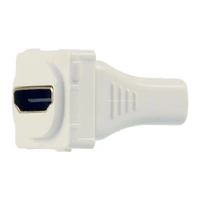
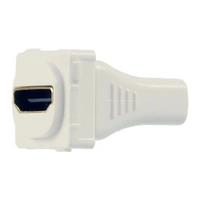
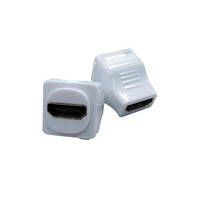
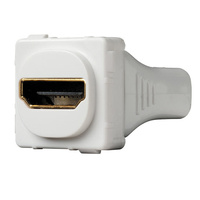
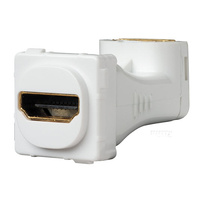
HDMI mechanisms snap into compatible wall plates to create a clean, fixed AV connection point. They suit wall-mounted TVs, boardrooms, classrooms, reception screens, media rooms and retail displays. The mechanism keeps the visible lead short and tidy while the in-wall HDMI cable handles the longer pathway behind the plate.
Browse TV outlets and wall sockets for compatible inserts. Many residential and commercial installs combine HDMI with data, antenna and power outlets on the same wall plate plan.
Replace an HDMI cable when it shows visible damage, intermittent signal, flickering, dropped audio or repeated handshake failures. Upgrade when a new display or source device needs more bandwidth than the existing cable supports. A lead that worked well at 1080p may not handle 4K at 60Hz with HDR, 4K at 120Hz, or longer cable runs at high resolution.
HDMI cables are sold in named performance categories. The category sets the maximum bandwidth and the practical resolution and refresh-rate ceiling. The table below covers the categories most relevant to current Australian AV installs.
| Cable Category | Typical Bandwidth | Common Resolution Support | Best Use Case |
|---|---|---|---|
| Standard HDMI | Up to 4.95 Gbps | 720p, 1080i | Legacy displays and basic signage |
| High Speed HDMI | Up to 10.2 Gbps | 1080p, basic 4K 30Hz | Older Full HD TVs and short runs |
| Premium High Speed HDMI | Up to 18 Gbps | 4K 60Hz with HDR | 4K TVs, streaming devices, soundbars |
| Ultra High Speed HDMI | Up to 48 Gbps | 4K 120Hz, 8K 60Hz, VRR, eARC | HDMI 2.1 gaming and 8K displays |
| Ultra96 HDMI | Up to 96 Gbps | High-bandwidth 8K, future formats | Next-generation AV applications |
HDMI 2.0 performance is generally associated with Premium High Speed cables rated at 18 Gbps. That bandwidth supports 4K at 60Hz with HDR, which covers most 4K TVs, streaming devices and Blu-ray players in current use. It does not support 4K at 120Hz or 8K signals.
HDMI 2.1 performance normally requires Ultra High Speed cables rated at 48 Gbps. This category supports 4K at 120Hz, 8K at 60Hz, variable refresh rate (VRR), auto low latency mode (ALLM) and eARC for higher-bandwidth audio formats. The source device, the connected display and the cable all need to support the feature for it to work end to end.
Ultra96 is the newest cable designation, rated at up to 96 Gbps for emerging high-resolution and high-refresh applications. It is forward-looking rather than essential for most current Australian homes, offices or small commercial installs. The vast majority of 4K 60Hz and 4K 120Hz requirements today are still covered by Premium High Speed or Ultra High Speed HDMI leads.
HDR support depends on bandwidth, HDMI version capability, source device, display, content and cable rating. A low-rated or older cable may pass a usable picture but fail when HDR, deep colour, 4K 60Hz or high-refresh content is enabled. The practical rule is simple: match the cable rating to the highest-resolution and highest-refresh device in the chain.
A Premium High Speed HDMI cable is the practical minimum for 4K 60Hz HDR setups. This rating covers smart TVs, Apple TV boxes, Chromecast units, Foxtel boxes, Blu-ray players, soundbars and AV receivers. Shorter high-quality cables tend to be more reliable than unnecessarily long leads, especially when HDR is in use.
PlayStation 5, Xbox Series X and high-refresh gaming PCs generally need an Ultra High Speed HDMI cable to run 4K at 120Hz. The 48 Gbps rating provides the bandwidth required for HDMI 2.1 features. VRR and ALLM deliver smoother gameplay and automatic low-latency display behaviour where the connected hardware supports them. A label of "8K compatible" usually indicates HDMI 2.1-class bandwidth, but certified Ultra High Speed marking is more reliable.
An 8K setup normally requires an Ultra High Speed HDMI cable today, with Ultra96 cables becoming relevant for future high-bandwidth formats. The full signal chain matters: 8K source, 8K display, compatible HDMI ports on each end, correct display settings and a properly rated cable. 8K is not necessary for most users; it remains a specific requirement for compatible equipment.
ARC is the Audio Return Channel, which lets audio travel from the TV back to a soundbar or AV receiver over a single HDMI lead. eARC is the enhanced version that supports higher-bandwidth audio formats where the connected devices allow it. Check the TV's marked ARC or eARC port, then choose a cable rated for the connected system. eARC generally pairs best with a Premium High Speed or Ultra High Speed lead.
Buyers do not need to pay premium prices for picture quality alone if a cable is genuinely rated and certified for the required bandwidth. The practical decision rests on certification, cable length, durability, shielding and connector quality. Under-rated cables are a false economy on 4K 120Hz, long runs or permanent installations, where call-backs and rework cost more than the cable saving.
Type A Standard HDMI is the most common connector. It is fitted on TVs, monitors, projectors, consoles, AV receivers and media players. Mini HDMI and Micro HDMI are compact connectors found on cameras, tablets, laptops, action cameras and portable devices. Mini and Micro HDMI are not interchangeable, so check the device port before ordering an adapter or mixed-end lead.
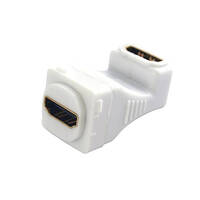
Passive adapters and mixed-end cables connect Standard HDMI to Mini HDMI or Micro HDMI ports. Right-angle HDMI adapters help in tight spaces behind wall-mounted TVs, in shallow display cabinets or near power points. Passive connector adapters change the physical connection format only; they do not improve signal quality. The HDMI female to female couplers are useful where two leads need joining inside a wall plate or cable pathway.
A converter is required when the signal types differ, such as HDMI to VGA or DisplayPort to HDMI. DVI and VGA are still common on older office monitors and legacy equipment. VGA is analogue and does not carry audio; DVI usually carries video only, so a separate audio path is needed for older PCs running through HDMI displays.
A switch routes multiple HDMI sources to one display. A splitter sends one HDMI source to multiple displays. A matrix unit routes multiple sources to multiple screens and is common in larger commercial setups. The TV splitter and amplifier range covers these use cases. Any switching or splitting hardware must be rated for the required resolution, refresh rate, HDR support and HDCP version in the signal chain.
Passive HDMI cables are most reliable at shorter lengths, especially for 4K and higher-bandwidth signals. As a practical guide, use 1 to 2 metres for nearby devices on a desk or bench. Allow 3 to 5 metres for most wall-mounted TV setups where the lead runs through a short conduit or cavity. Longer runs benefit from active HDMI or active optical leads. Symptoms of signal loss include flickering, black screens, sparkles, audio dropouts and repeated handshaking.
Active HDMI cables use built-in electronics to maintain the signal over longer distances than passive copper allows. Many active cables are directional, so the source end and display end must be installed the correct way around. Confirm compatibility with the required HDMI version, resolution and refresh rate before ordering. Active cables suit fixed installations where the lead is hidden behind walls or in ceiling cavities.
Active optical HDMI cables carry the signal over fibre with electronics at each end. They are a strong option for longer projector, boardroom, classroom, digital signage and equipment-rack runs where copper HDMI would be unreliable. Plan the installation carefully: measure the full pathway, allow for wall cavities, conduit, bends and cabinet routes, and leave room for future access. Pair the cable with appropriate communication conduits where the lead runs through a building structure.
For projector ceiling installations, measure from the equipment source to the projector location along the actual cable pathway, not the straight-line distance. Allow a sensible service loop without excessive slack. Ceiling, wall cavity and fixed AV pathways near electrical services should be planned by a licensed electrician or qualified installer where the work falls within scope.
Shielding protects the signal from electromagnetic interference generated by nearby power cables, wireless devices, commercial equipment and dense AV racks. Certified Ultra High Speed and Ultra96 HDMI cables are tested against low EMI requirements as part of the certification programme. Plan adequate separation from mains cabling and follow Australian installation practices where HDMI is run through walls, ceilings, cabinets or equipment racks.
A braided jacket improves abrasion resistance and handling durability where leads are exposed or moved often. Braided construction does not automatically deliver better bandwidth or picture quality. Choose braided leads for desks, demonstration counters, gaming setups, mobile equipment and temporary AV rigs where the lead is plugged in and out regularly.
Gold plating helps resist corrosion at the connector surface, especially in humid or exposed environments. It does not increase HDMI resolution, bandwidth or signal quality on its own. Prioritise certified bandwidth, suitable length, strong strain relief, a secure connector fit and a quality jacket. Gold plating is a useful bonus, not a primary selection criterion.
Job-site realities include pulling cables through cabinetry, repeated plugging on commissioning, cramped wall plates and tight TV brackets. Check the connector profile against the available clearance behind the bracket. Check jacket flexibility and bend radius for in-wall use. Commercial and trade buyers benefit from keeping consistent cable types across repeat fit-outs, which makes spares and replacements easier to manage.
An HDMI wall plate mechanism creates a clean plug-in point for a fixed display, projector or AV source location. Common applications include wall-mounted TV points, offices, classrooms, hospitality rooms, boardrooms and retail display areas. The mechanism must match the chosen wall plate system and the installation environment. The Clipsal Iconic mechanisms and Clipsal Iconic network connectivity ranges are popular for new builds and renovations.
Straight-through keystone or modular couplers are a neat option where both the front and rear connections are accessible. They accept a standard HDMI lead at the front and another at the rear, with the cable passing through the wall plate. Fly-lead style mechanisms have a short pigtail at the rear and suit installations where space is tight or bend radius needs relief. Decision criteria include wall depth, plate type, cable direction, connector clearance and future replacement access.
Fixed AV positions often combine HDMI with power, data and sometimes antenna or speaker connections on a coordinated plan. Mains power work must be completed by a licensed electrician in Australia. Avoid step-by-step installation prescriptions in product copy; focus on planning, product selection and coordination between the electrician, the AV installer and the customer. Cable entry plates and cable management accessories tidy the rear of a fixed AV position.
Consistent mechanisms, tidy wall plates and correctly specified cables reduce call-backs and rework. Match plate colour across the room, label connection points where useful, and keep cable types consistent so future display upgrades drop in easily. The result is a clean install that holds up over time, supports buyer confidence and shortens fault-find time later. The cable entry plate range covers most common scenarios.
HDMI is the common standard on TVs, projectors, AV receivers and consumer electronics. DisplayPort is common on PC monitors, docking stations and professional desktop setups. Choose based on the available ports and the required resolution, refresh rate and audio path. Many gaming PCs use DisplayPort for the monitor and HDMI for the TV or capture device on the same machine.
DVI is primarily a video-only interface used on older monitors and computers. An HDMI-to-DVI adapter or cable can carry video only, with a separate audio path required. HDMI is the more convenient choice where both audio and video are needed, which is the case for almost every modern display.
VGA is an older analogue video-only standard. HDMI-to-VGA requires active conversion and is not well suited to high-resolution or low-latency applications. Replace VGA with HDMI or DisplayPort where practical for modern office and display installations. Keep VGA adapters on hand for legacy meeting rooms and older equipment where replacement is not yet scheduled.
The application matrix below covers most current installation scenarios. Use it as a starting point and adjust for cable length, environment and display specification.
Lower-cost HDMI cables are acceptable for short office runs, standard monitors, 1080p displays and basic 4K use where HDR is not enabled. Avoid choosing on price alone when 4K 120Hz, HDR, long runs, permanent in-wall cabling or commercial reliability is involved. Factor in the total job cost, replacement time and call-back risk when a cheap cable underperforms.
Bulk buying for fit-outs benefits from consistent lengths, spare stock, repeatable specifications, predictable packaging and a consistent connector profile. Common use cases include schools, serviced offices, hotel rooms, meeting rooms, display rollouts and retail signage. Choose a limited range of dependable lengths and ratings to simplify ordering, stocking and on-site fitting across the project.
Reliability factors for trade buyers include rated bandwidth, clear product descriptions, stock availability, a consistent SKU range and predictable fulfilment. Trade-aligned ordering reduces repeat visits, keeps the right cable type in van stock and matches the lead to the job specification rather than a guessed grade. Avoid exaggerated marketing claims when comparing brands and stick to documented ratings.
Useful buying criteria include local stock visibility, clear category-level specifications, trade-suitable quantities, compatible mechanisms in the same range and proper invoicing for business accounts. The Sparky Direct HDMI cables category sits alongside related TV cable connectors and accessories. This makes it easier to compare cable type, length, connector format and matching wall plate mechanisms in one purchase path.
Compare like-for-like specifications when reviewing prices: cable length, HDMI rating, active vs passive, optical vs copper, certification labelling, connector type and jacket build quality. The cheapest listed price is rarely the best value if the cable is under-rated for the job or unsuitable for a permanent install. Keep comparisons on objective criteria rather than headline claims.
Common symptoms include no signal, flickering, intermittent image, colour distortion, audio dropouts, a display that does not recognise the source, or failure that only appears at higher resolutions. Safe checks include trying a known working cable, testing another HDMI port on the same display, confirming source and display settings, inspecting the connectors for damage and temporarily reducing the resolution. Avoid opening equipment or interfering with electrical installations.
A cable may work at 1080p and fail at 4K HDR, 4K 120Hz or longer distances because the higher-bandwidth signal stresses every component in the chain. Switches, splitters, wall plates and receivers in the path all need to support the required specification. A practical rule applies: the lowest-rated component in the chain limits the entire setup.
HDMI handshake is the brief negotiation between connected devices about resolution, audio, copy protection and feature support. Simple troubleshooting includes power cycling devices, confirming the correct input is selected, testing a direct connection before adding splitters or wall plates, and checking firmware or display settings where appropriate. HDCP compatibility matters for commercial displays, streaming devices and licensed content distribution.
Replace the cable when it is physically damaged, too long for the application, under-rated, uncertified for the required bandwidth or repeatedly failing under normal use. Active or active optical HDMI is the right answer for long cable pathways. Licensed electricians and qualified installers should handle fixed cabling pathways, ceiling routes and installations close to mains wiring.
Mains power installation, relocation or alteration must be handled by a licensed electrician in Australia. HDMI wall plates are often planned alongside power outlets, data outlets, antenna points and TV mounting work. Coordinate between the electrician, the AV installer and the customer before walls are closed or displays are mounted on site.
AV and extra-low-voltage cabling should be planned to avoid interference and to maintain appropriate separation from mains wiring. Commercial projects should follow relevant site requirements, the Australian wiring rules and manufacturer instructions for the specified products. Keep the planning compliance-aware rather than prescriptive at the product page level.
Plan accessible pathways, spare capacity in conduit where appropriate, suitable cable length, labelled connection points and compatible wall plate systems. Replacing a visible HDMI lead is straightforward; replacing a hidden in-wall or ceiling cable is more expensive and disruptive. Specify the right cable standard at the time of installation to avoid future rework when display technology moves on.
Club Clipsal is Australia's largest electrician community offering trade rewards, business support, and exclusive benefits. When you nominate Sparky Direct as your preferred wholesaler, we automatically apply your Clipsal spend points to your Club Clipsal account daily.
Entry-level offering coaching, mentoring, and training discounts
Unlock exclusive industry tools and networking events
Access Toyota fleet offers and business software discounts
Maximum benefits, including VIP experiences and rewards
1. Sign Up: Create your Club Clipsal account at clipsal.com/club-clipsal or via the iCat mobile app
2. Nominate Sparky Direct: Select Sparky Direct from the wholesaler dropdown menu in your profile
3. Add Email: Enter your Sparky Direct account email address in the membership number field
4. Start Earning: Every dollar spent on Clipsal products earns points automatically
Redeem points from the rewards store, including gift cards, tools, and experiences. Access business summits, product training, and industry networking events. Receive early access to new product launches and special promotions. Connect with fellow electricians via the Club Clipsal community app.
HDMI mechanisms, wall plates and data accessories at Sparky Direct cover the major Australian trade brands, including Matchmaster, 4Cabling, Madison Technologies, CABAC, DIGITEK, DataTek and Belden. Browse the data and phone accessories range for related products.
Watch Clipsal Iconic 40HDMIA-TN | HDMI Adaptor | Angled Rear Socket | White video
Watch CLIPSAL 30HDMIA | HDMI Angled Mechanism White (30 Series) 30HDMIAWE video
Watch HDMI Cable Tester | TST-HDMI video

Used to deliver Hdmi and cat8 cabling to multiply point access in walls. Clean finish
Purchased for new build, absolute perfect size recessed box, plenty of room for multiple outlets within and room for additional HDMI ect controller boxes/switches.
Flexibility for up to two ports for data/data data/optical data/coax or any other combination and the HDMI straight through to both devices TV/AVR TV/DVD etc.
Quality products in stock • Fast Australia-wide delivery • Competitive trade pricing
Browse HDMI Cables → Get Expert Advice →